14
Chapter 3: Troubleshooting
1. What should I do if my PC cannot find the new hardware?
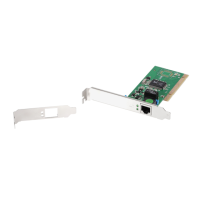
Check to see if the network adapter is inserted in the PCI slot properly.
Otherwise, please reinsert the adapter.
2. What should I do if my PC cannot identify the new hardware?
Check if you can find the network adapter you’ve installed in the following
location:
/My Computer/Manager/Device Manager/Network Adapter/..
If not, please follow the instructions in 2.2 Driver Installation to update the
driver.
3. Why am I only getting a network connection speed of 100Mbps instead of
1000Mbps?
Check your Ethernet cable, and make sure you are using CAT-5e or CAT-6
Ethernet cables. Some CAT-5 cables are not capable of running at
1000Mbps.
Ensure that you are connected to a 1000Mbps switch.
Contact your dealer if problems persist.


 To Next Page