DIP Switch Definition:
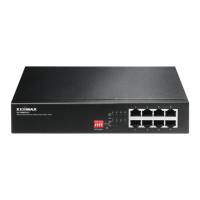
The front pnael of PoE+ switch provies four pins DIP Switch. The detailed
descriptions are shown nin the following table.
This mode makes the PoE Port 1~2
operate at auto-negotiation 10Mbps
speed duplex mode only, but the
delivery distance of PoE power and
network data can reach 200m.
This mode makes the PoE Port 1~2
operate as a genral switch.
This mode makes the PoE Port 3~4
operate at auto-negotiation 10Mbps
speed duplex mode only, but the
delivery distance of PoE power and
network data can reach 200m.
This mode makes the PoE Port 3~4
operate as a genral switch.
This mode makes the PoE+ switch
operate as a VLAN isolation switch
and port 1 to port 4 will isolate
respectively., port 1 to port 4 can only
communicate with port 5 (uplink
port).
This mode makes the PoE+ switch
operate as a genral switch.
This mode makes the PoE+ switch
operate as a QOS switch, it follows the
802.1p QoS, video and voice with high
priority.
This mode makes the PoE+ switch
operate as a genral switch.
Please note, after truning ON the DIP switch you will have to Reboot the
switch.








 To Next Page