8
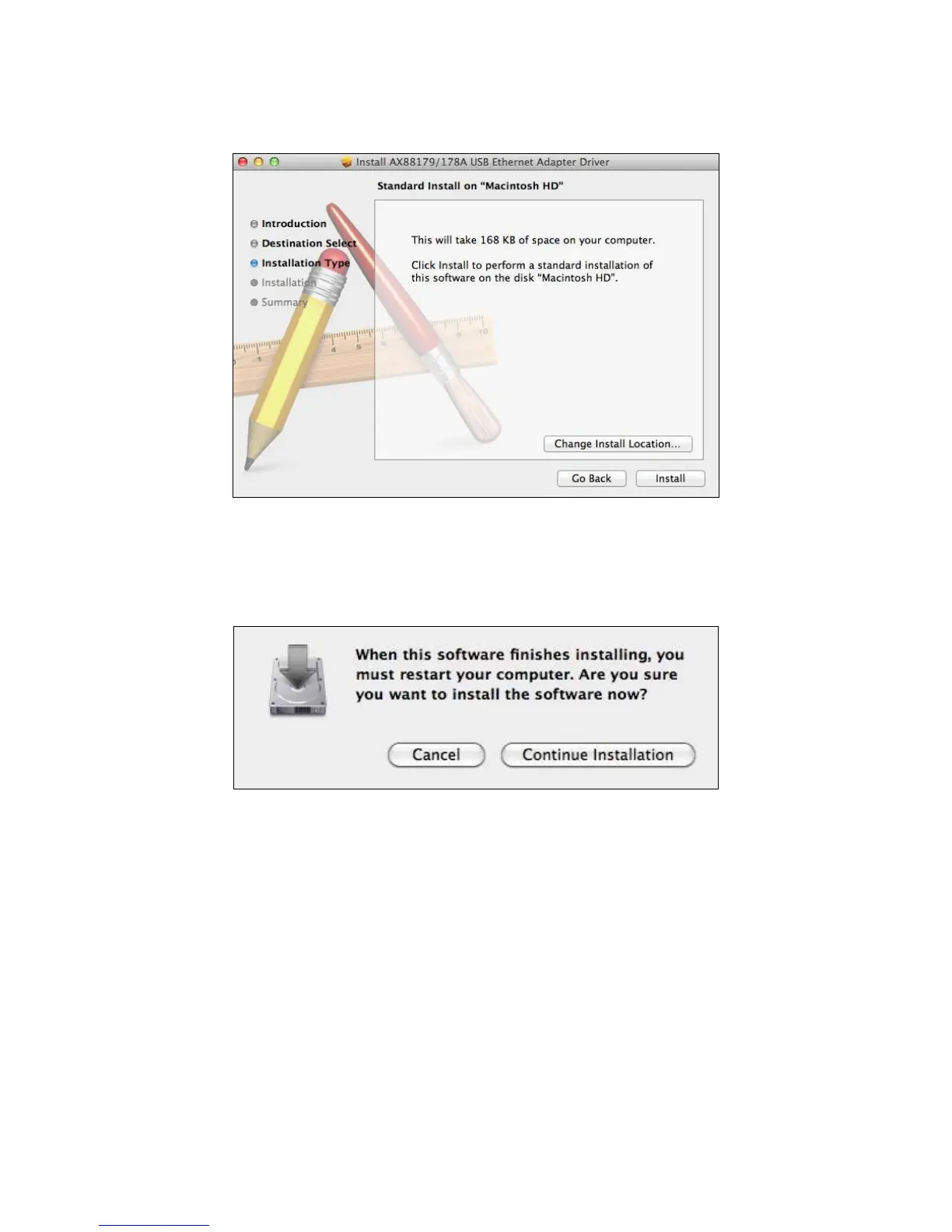
3. Click “install” to continue the installation operation. You may be
prompted for your username and password.
4. You will be prompted that your computer must restart after the
installation is complete. Click “Continue Installation” to proceed.
5. When the installation is complete, as shown below, click “Restart” to
restart your system.


 To Next Page