17
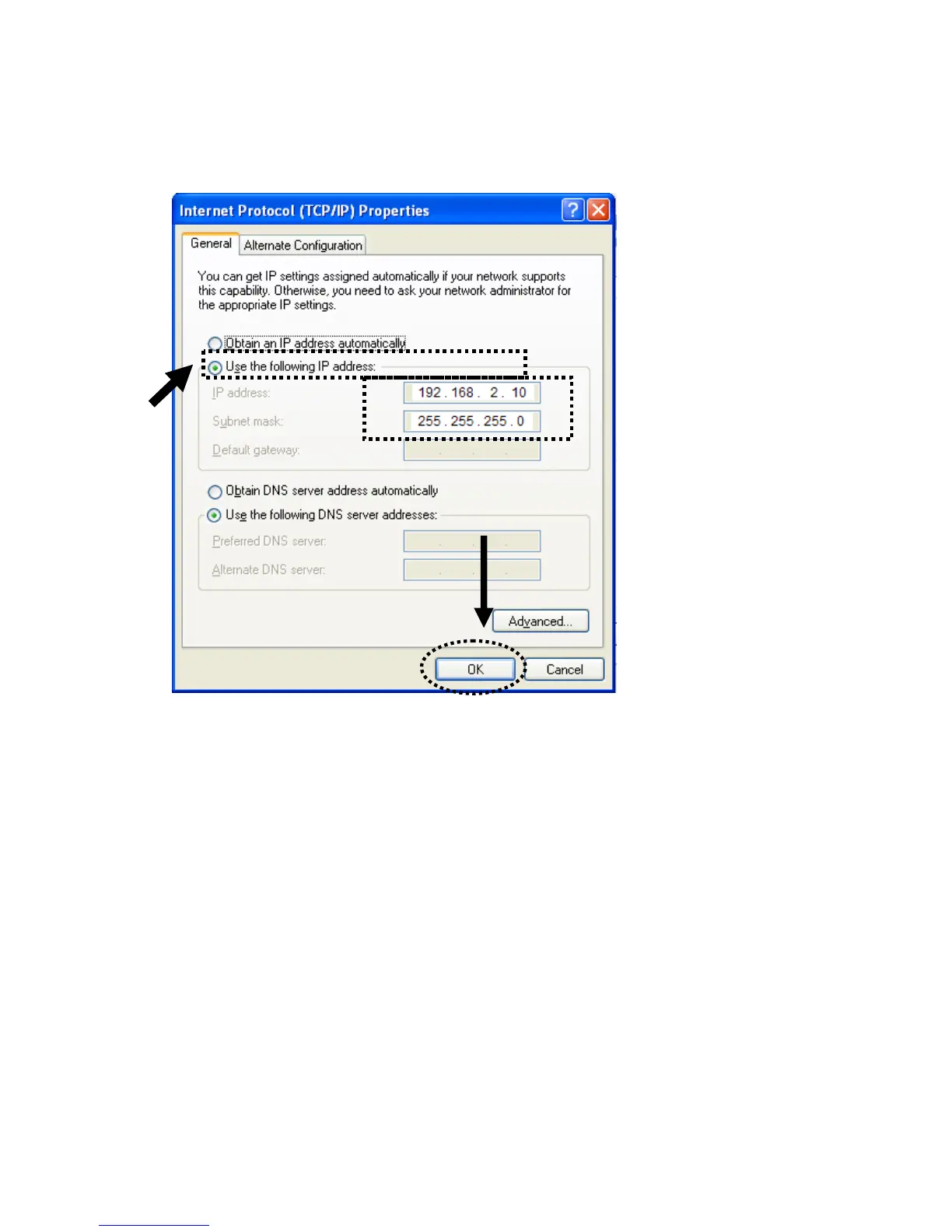
2. Select ‘Use the following IP address ’ and you can assign “192.168.2.XXX”
(where XXX=10~253), then click ‘OK’.
Note : If your original setting of computer is “Obtain an IP address
automatically “ & “Obtain DNS server address automatically“ , you should reset
to original settings when you finish the following HP-2002APn configuration.


 To Next Page