38
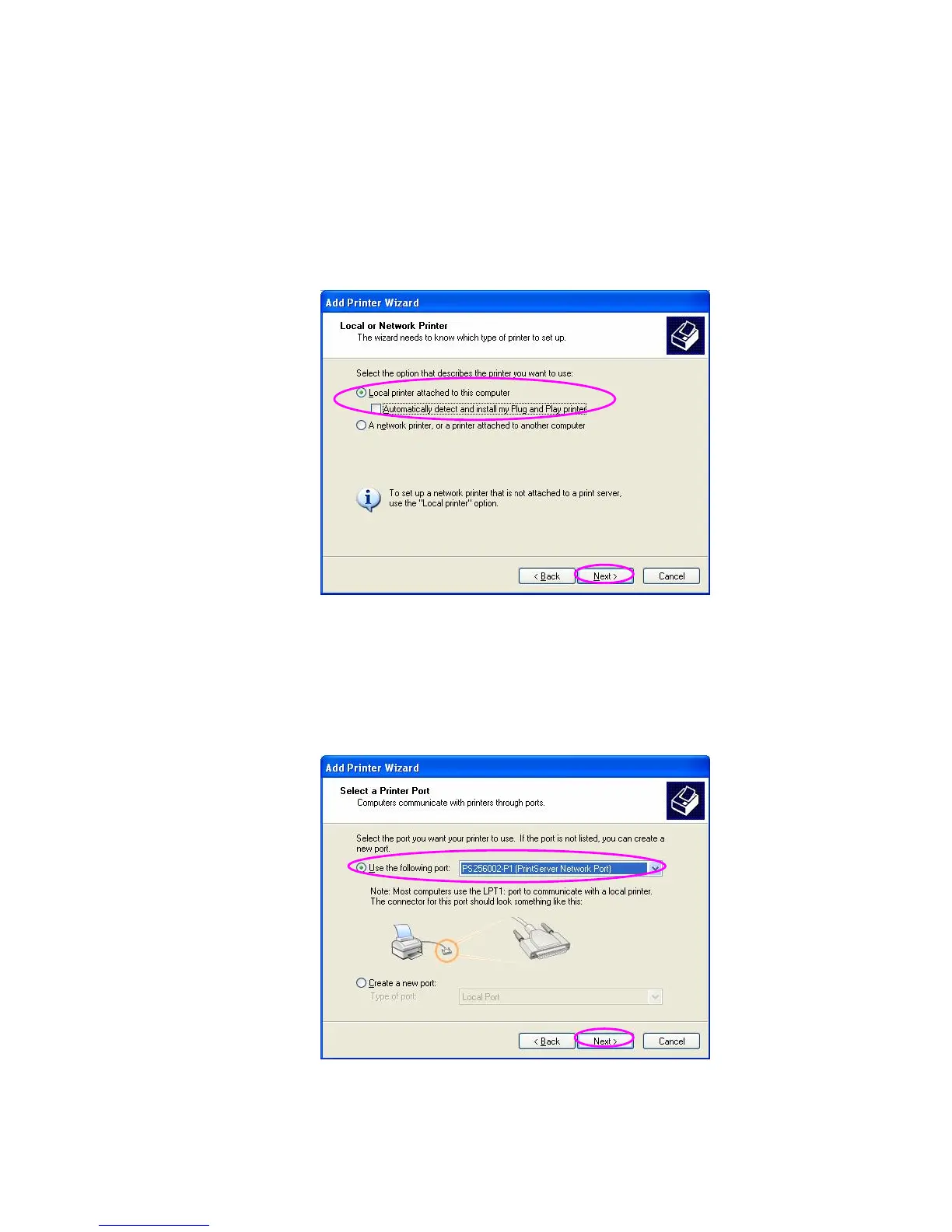
Step4. Select “Local printer attached to this
computer” and make sure that “Automatically
detect and install my Plug and Play printer” is
not selected. Click “Next”.
Step5. Choose the suitable “Print Server Network
Port” which was created by the Administrator
Installation or Client Installation process and
click “Next”.















 To Next Page