4K Ultra HD Camera With Autofocus User Manual
12
B. PTZ Setup
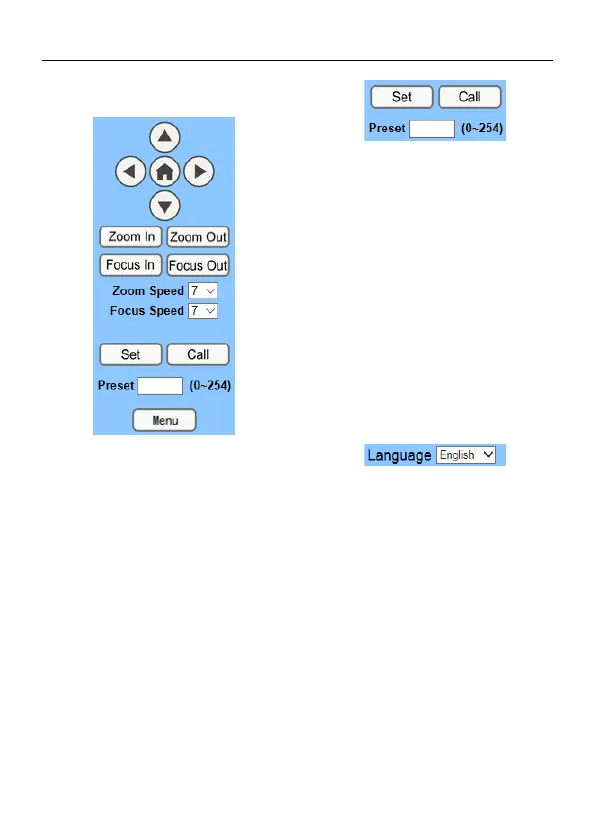
PTZ direction control box: Up, down, left,
right, home oblique button as above.
Rate: Zoom Speed can be chosen as 0~ 7,
Focus Speed can be chosen as 0~ 7.
Select corresponding speed and click
direction button to realize PTZ speed up or
speed down.
Zoom In/Zoom out: For zooming in or
zooming out. Focus In/Focus Out: Focusing
on distant objects or Focusing on close
objects.
Set/Call: When PTZ turn to expected
position, can set up preset that user want as
below.
Method: Type a number into the Preset box.
Then click “Set” button, when PTZ turn to
other position, click “Call” button or click “No”
of the Presets Information, PTZ turn back to
preset position.
Menu: OSD menu display in the upper
corner of the image page. PTZ direction
control box: Up/down button select menu.
and the home button enter the submenu,
the left/right button modify the submenu.
After the menu to be modified, select PTZ. If
in the main menu, save the setting and exit
automatically. Otherwise, return to the
previous menu.
C. Language Selection
Chinese/English/Russian



 To Next Page