EasyManua.ls Logo

Edis V60CL-N - 5 GUI Settings; Menu; Exposure; Color

Edis V60CL-N
23 pages
Print Icon
To Next Page IconTo Next Page
To Previous Page IconTo Previous Page
Loading...
Video Conference Camera User Manual
7
5 GUI Settings
5.1 MENU
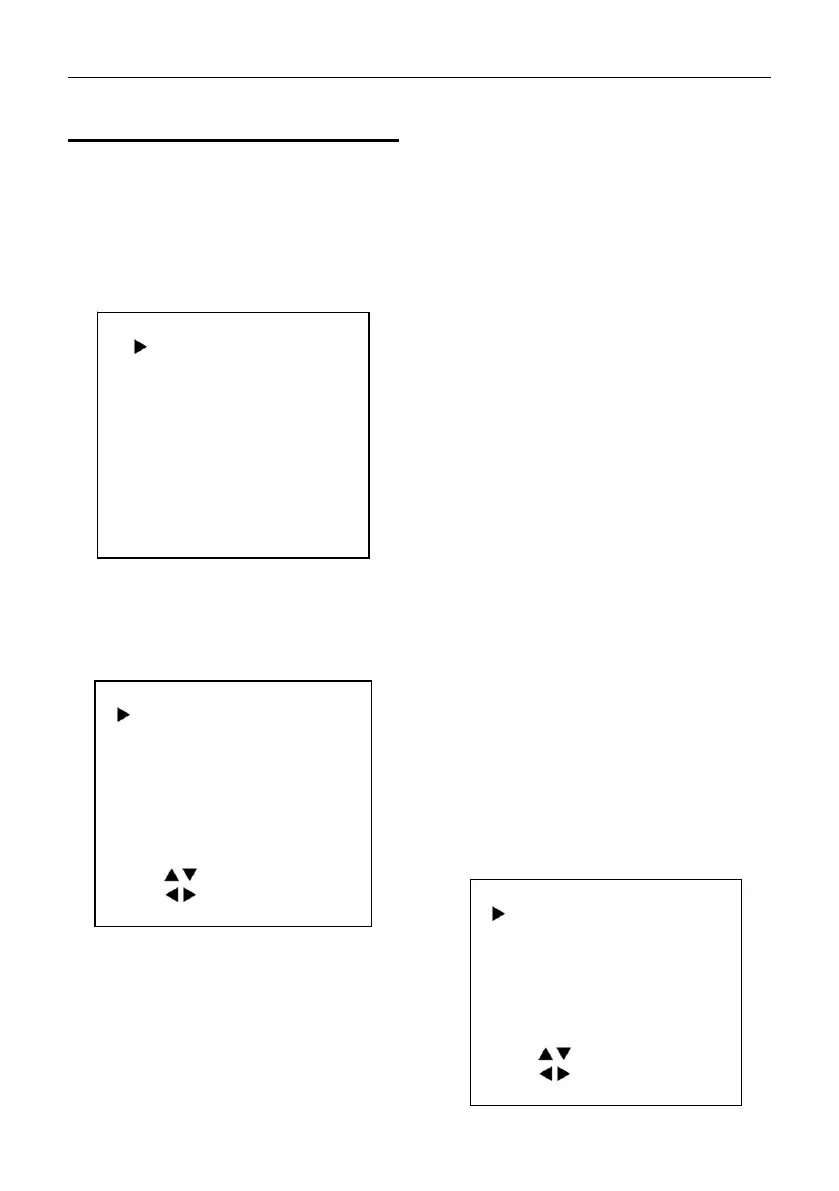
Press [MENU] button to display the main menu
on the normal screen, using arrow button to
move the cursor to the item to be set. Press
the [HOME] button to enter the corresponding
sub-menu.
MENU
Exposure
Color
Image
P/T/Z
Noise Reduction
Setup
Communication Setup
Restore Default
[Home] Enter
[Menu] Exit
5.2 EXPOSURE
Move the main menu cursor to [EXPOSURE],
and press [HOME] key enter the exposure
page, as shown in the following figure.
EXPOSURE
Mode
Auto
ExpCompMode
Off
Backlight
Off
Gain Limit
3
Anti-Flicker
50Hz
Meter
Average
DRC
3
Select Item
Change Value
[Menu] Back
Mode: Exposure mode,optional items: Auto,
Manual, SAE, AAE, Bright.
ExpCompMode: Exposure the compensation
mode, optional items: On, Off (Effective only
inAutomode).
ExpComp: Exposure the compensation
value,optional items: -7~7 (Effective only in
ExpCompMode item to On).
Backlight: Set the backlight compensation,
optional items: On, Off (Effective only in Auto
mode).
Bright: Intensity control, optional items:0~17
(Effective only in Bright mode).
Gain Limit: Maximum gain limit, optional items:
0~15 (Effective only in Auto, SAE, AAE, Bright
mode).
Anti-Flicker: Anti-flicker, optional items: Off,
50Hz, 60Hz (Effective only in Auto, AAE, Bright
mode).
Meter: Optional items: Average, Center, Smart,
Top.
Iris: Aperture value, optional items: F1.8, F2.0,
F2.4, F2.8, F3.4, F4.0, F4.8, F5.6, F6.8, F8.0,
F9.6, F11.0, Close (Effective only in Manual,
AAE mode).
Shutter: Optional items:
1/30,1/60,1/90,1/100,1/125,1/180,1/250,1/350,
1/500,1/725,1/1000,1/1500,1/2000,1/3000,1/4
000,1/6000,1/10000 (Effective only in Manual,
SAE mode).
Gain: Optional items: 0 ~ 7 (Effective only in
Manual mode).
DRC: DRC strength, optional items: 0 ~ 8.
5.3 COLOR
Move the main menu cursor to [COLOR], and
press [HOME] key enter the color page, as
shown in the following figure.

COLOR
WB Mode
Auto
RG Tuning
0
BG Tuning
0
Saturation
100%
Hue
7
AWB Sens
High
Select Item
Change Value
[Menu] Back

Related product manuals