10 Version of 20 August 2020
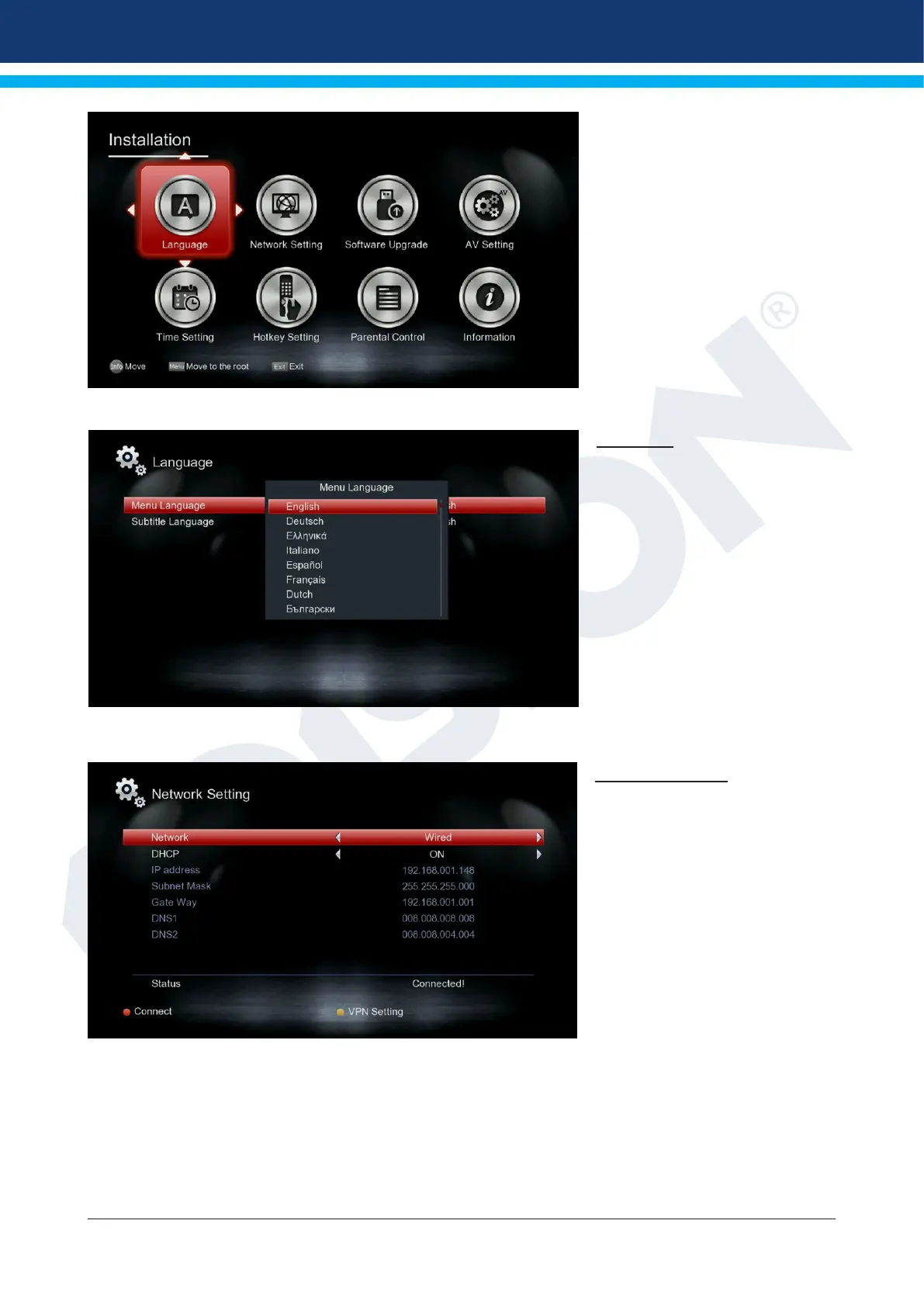
►Installation
Congure your receiver, accord-
ing to your needs, from the vari-
ous settings available.
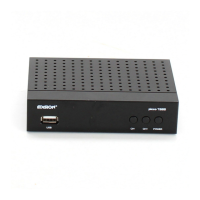
Language
Menu language:
You can select the language in
which the menu texts are dis-
played from here.
Subtitle language:
You can set the language in
which the subtitles information
will be displayed from here
(Language must be supported by
the program provider).
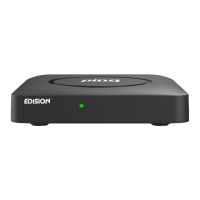
Network Settings
Select Network:
Wired Network or WiFi
Info: IP Address, Subnet Mask,
Default Gateway, DNS1 and
DNS2 are only available if “OFF”
indication is selected at “DHCP”
point.
DHCP: If you install a DHCP
server on your network, you can
automatically give an IP address
to the receiver. To do this, select
“On”. If you do not use any DHCP on your network, manually enter the corresponding values below.
IP address
Subnet Mask
Default Portal
DNS 1
DNS 2


 To Next Page