10
2
4
A
C
B
1
3
2
4
A
C
B
5
1
seconds by pushing the crown back to
position 1 to coincide with a given time
signal.
4. Correcting the dual time (GMT): pull
the crown A out to position B.Turn the
crown forwards or backwards to reach the
requested time and push it back to posi-
tion A.
Edox 84
Watch functions:
The crown has 4 positions:
1. Normal position (wearing posi-
tion): when the crown is positioned
against the case, the crown ensures that
the watch is water-resistant.
2. Correcting the date: pull the crown
out to position 2, turn the crown forwards
andpushitbacktoposition1.
3. Correcting the day: pull the crown
out to position 2, turn the crown back-
wardsandpushitbacktoposition1.
4. Time setting: hours, minutes and sec-
onds. pull the crown out to position 3. The
seconds hand will stop. Turn the crown
forwards or backwards. Synchronise the
seconds by pushing the crown back to
position 1 to coincide with a given time
signal.
4.6 Rally Movement
Edox 36
The calibre 36 has been developed exclu-
sively for Edox following the sponsorship
contract signed by Edox and North One
SportsLtd,thecompanywhichownsthe
commercial rights to the World Rally
Championships (WRC), an event for which
Edox has become the official timing part-
ner.
In addition to offering optimum perfor-
mance for car rallies, the functions of this
new calibre are also ideal for daily use and
for recording race timings for a variety of
sports activities (athletics, swimming, ski-
ing,etc.).Upto15timingrecordingsare
possible.
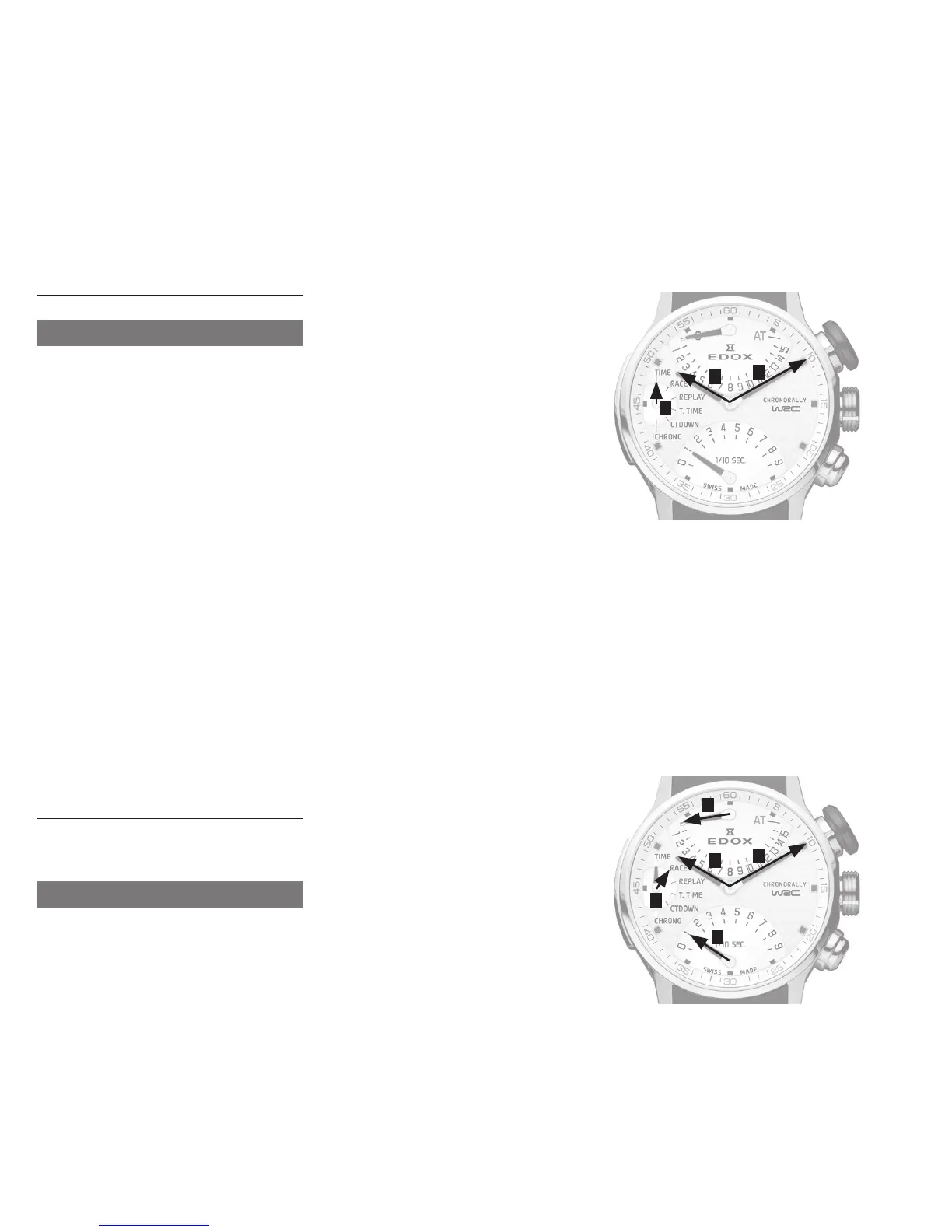
Description:
Hand1 Theminuteshand
Hand2 Thehourshand
Hand3 (at12h)
Hand4 (at9h)
Hand5 (at6h)
AT Penalty/Penalties(AdditionalTime)
Hand 4 at 9h
Hasthefollowingfunctions(modes):
•Time(displayoftime)
•Race(timingrecordingforoneormore
races)
•Replay(displayoftimingsforrecorded
races)
•TotalTimeorT.Time(displayof
cumulative total of recorded times)
•CountdownorCTDown(countdown
display)
•Chrono(chronographdisplay)
Useful tips:
With this calibre, developed exclusively for
Edox,youcanmeasureandrecord15dif-
ferent timings and review all the recorded
timings.
Each recording has a maximum duration
of59minutes,59secondsand9tenthsof
a second. The maximum accumulated re-
cording time possible is 15 hours,
59minutes,59secondsand9tenthsofa
second (once this time has been exceed-
ed, the various modes will be reset to
zero).
One or more “AT” (Additional Time) time
penalties can be added in Replay mode.
Also, a recorded time can be deleted if the
race being recorded had to be cancelled
(e.g. for safety reasons, because of an ac-
cident or disqualification).
The countdown (Countdown mode) can be
used optimally during service park stops
before the start of the next race.
Please note: there is no audible alarm
signal at the end of the countdown.
The Time, Race, Replay, Total Time,
Countdown and Chrono functions are
activated by pressing push-piece C,
according to availability.
Time setting (Time mode):
•Presspush-pieceCtopositionHand4
in Time mode.
•Pullpush-pieceC.
•Presspush-pieceAtoadjustthe
minuteshandandpush-pieceBto
adjust the hours hand.
•Returnpush-pieceCtoitsinitial
position.
Recording a race (Race mode):
•Presspush-pieceCtopositionHand4
in Race mode.
•Presspush-pieceAtostartrecording.
Hand3indicatesthatthe1straceis
being recorded.
•Presspush-pieceAtostoprecording
therace.Hand5indicates
1/10seconds.


 To Next Page