9
WHAT YoUr TV Box LIGHTS MEAN
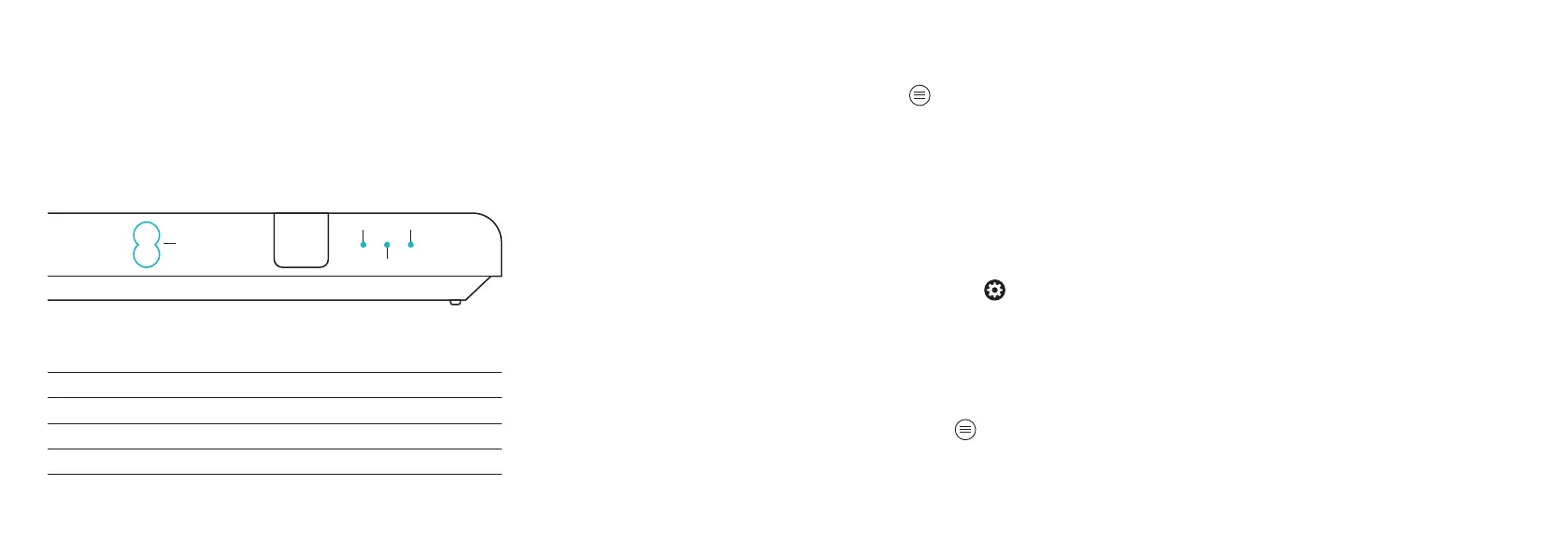
Front of your TV box
Power Status Data Record
Box on Aqua Off Off Off
Box on, recording Aqua Off Off Red
Box in standby Off Off Off Off
Box in standby, recording Off Off Off Red
When you press the buttons on the remote control,
the status light blinks aqua to confirm the command
has been received.
Status Record
Data
ACCESSIBILITY TooLS
Click the icon and you’ll find a range of
accessibility features to help you watch your
EE TV service:
• Audio Description
• Subtitles
• Sign language
Not all broadcasters allow these features, but if they do
you can turn them on/off in (Settings).
The screen’s appearance and text can be changed, too.
Click on Appearance and you can switch on High Contrast,
remove channel logos and remove transparency, which will
make the menus and text easier to read.
You can also use the Zoom feature to make text bigger in
the Guide (live channels) or in Apps (On demand channels),
which can be found in (More), and switched on or off
by selecting (OK).
Or you can use a UK USB keyboard, either alongside the
remote or instead of it, Just plug your keyboard into the
back of your TV box and use the keys like you would on a
remote control.
You can find out more about these at ee.co.uk/help
Grid 3 Software is available for Windows PCs and tablets,
which allows you to control your TV box with touch,
switch, eye gaze and pointing devices. Find out more at
thinksmartbox.com
8
Power



 To Next Page