MV-2509-03-2024
.
eeese-aircare.com © All rights reserved eeese air care ApS
77
UK
5. Operation Instructions
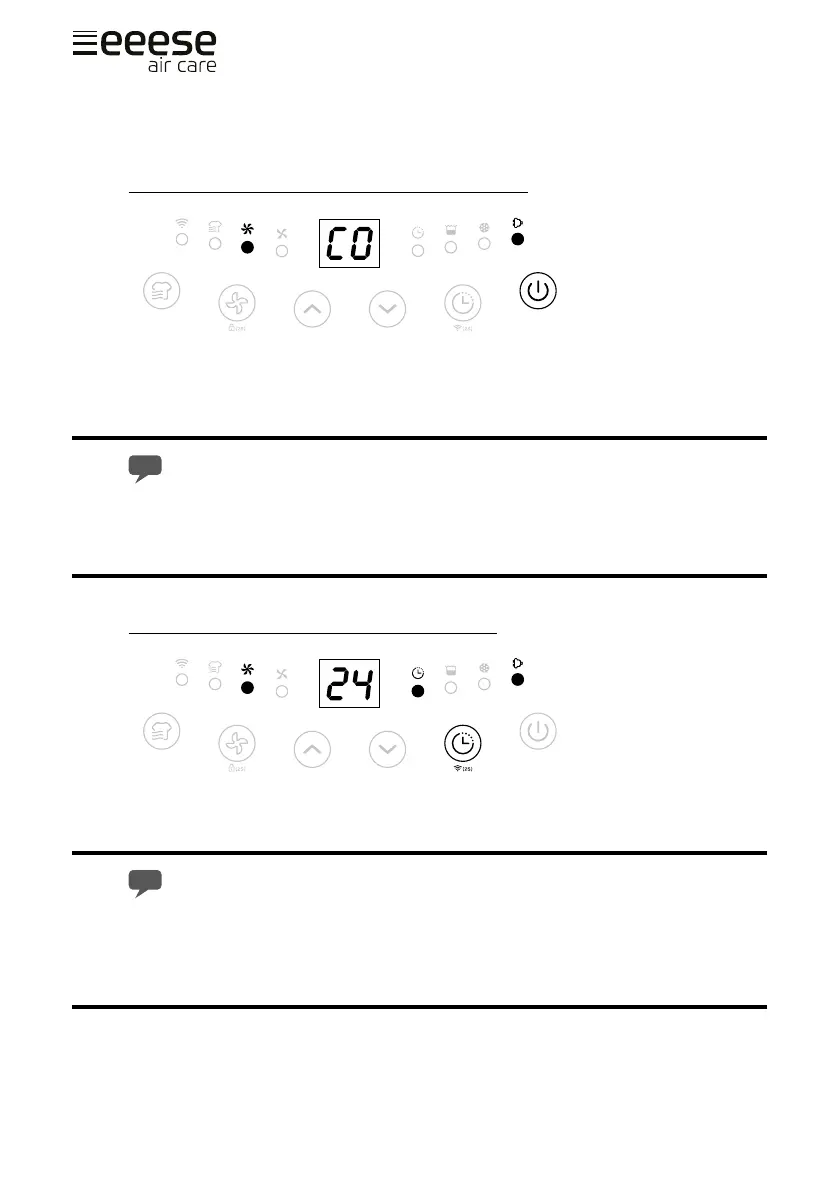
Switch On / Switch O The Unit [ Power button ]
Connect to the power supply and press the power button once to turn on the unit.
By default mode the unit runs on manual continuous dehumidifying with high fan speed.
The on/o indicator will be on.
Press the power button to turn o the unit, it will stop working, fan will work for
some seconds to blow out the hot air inside the unit.
When the machine is in standby mode, the on/o inicator will ash slowly.
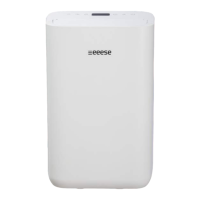
Auto Shut-o Timer Function [ Timer button ]
Press the timer button to select your preferred timer hour from 00-24-00 for automatic
shut o setting by each press.
Auto timer o setting will be cancelled if the timer button is pressed 2 times
in 3 seconds.
Auto timer o setting will be cancelled if the unit is switched o and switch on
again.


 To Next Page