78
MV-2509-03-2024
.
eeese-aircare.com © All rights reserved eeese air care ApS
UK
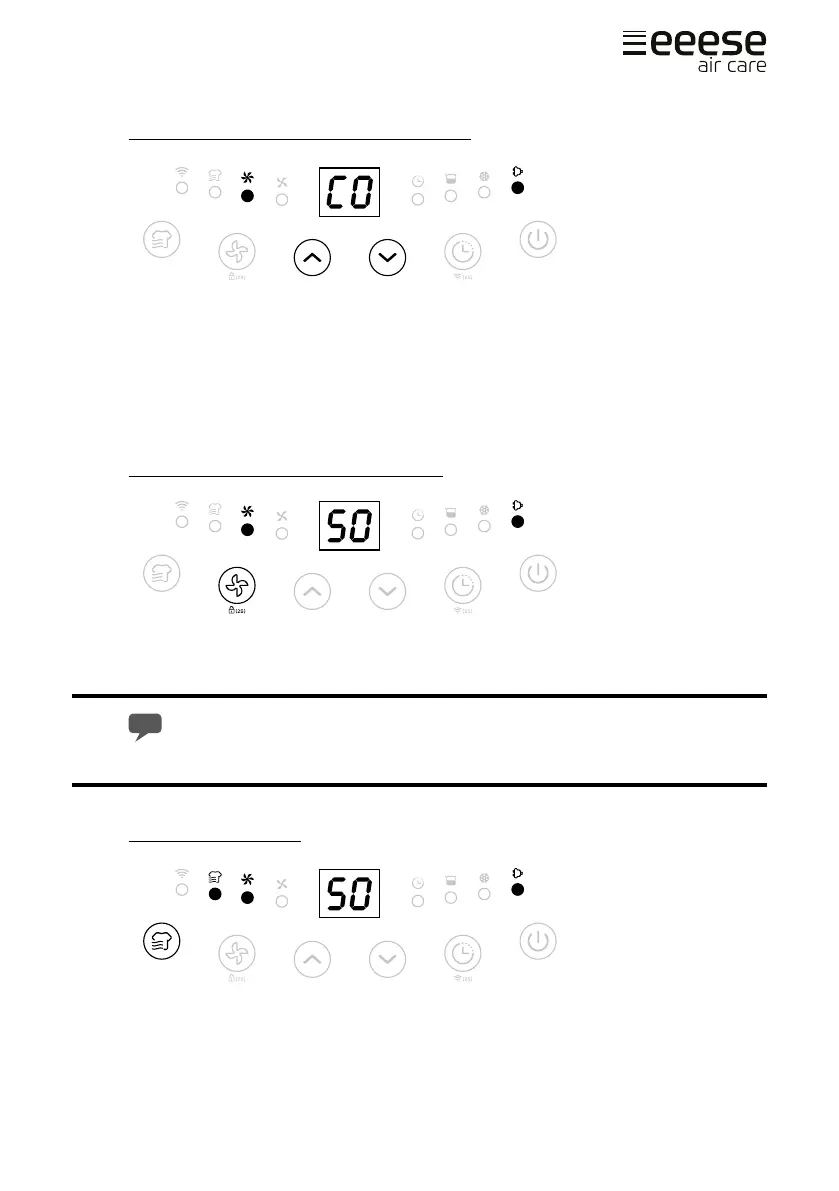
Humidity Setting [ Up and Down buttons ]
Press the up/down buttons to select your preferred humidity from CO-30%-35%-40%-
45%-50%-55%-60%-65%-70%-75%-80%-CO. CO means continuous dehumidifying regard-
less of ambient humidity.
When the humidity in the room falls below the set value, the dehumidier automatically
turns o. The dehumidier automatically restarts when the humidity exceeds the set
value.
Fan Speed Option [ Fan Speed button ]
Press the fan speed button to select your preferred fan speed setting of low and high to
meet the dierent usage requirements.
Fan speed button is invalid at Laundry drying mode and Defrost mode.
Laundry Drying Mode
Press the mode button once to select Laundry Drying mode. The unit runs in continuous
dehumidication with high fan speed for 6 hours then switch o automatically.


 To Next Page