MV-2525-11-2021
.
eeese-aircare.com © All rights reserved by weese air care a/s
77
UK
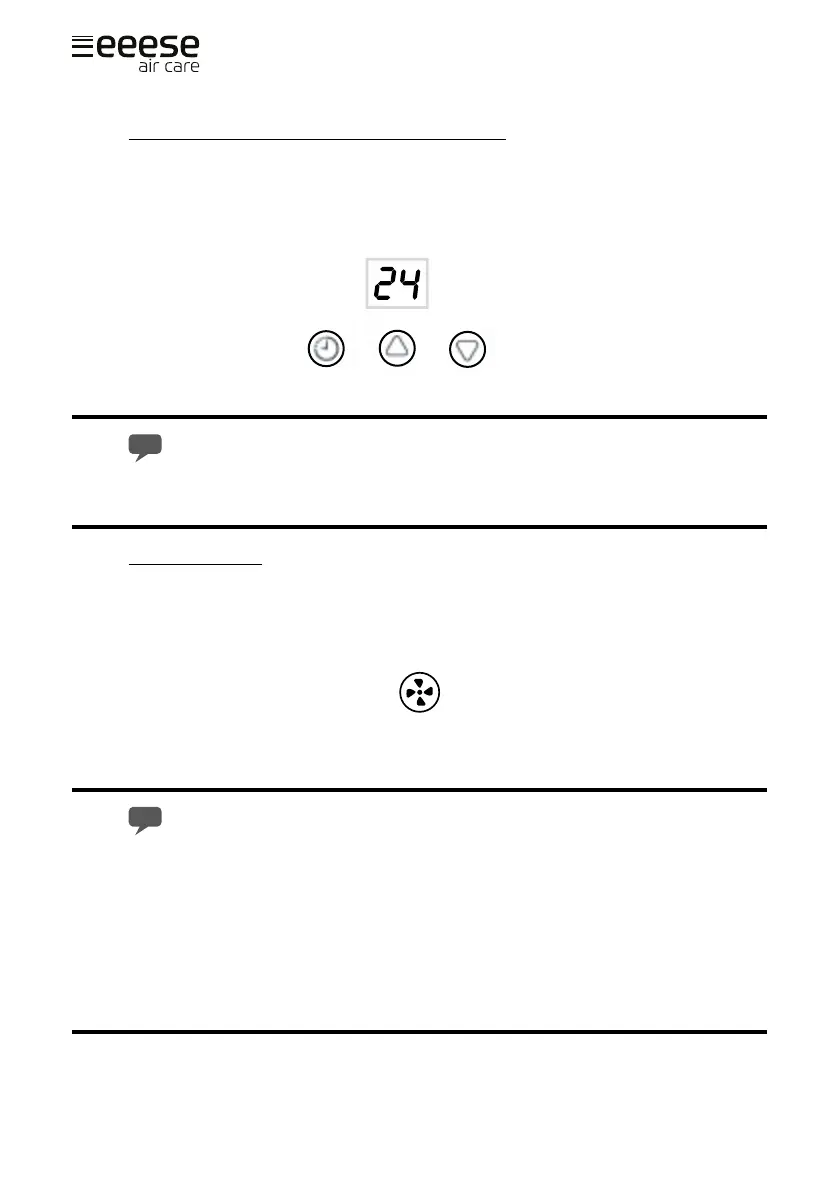
Automatic on/o timer function [timer button]
When the device is switched o, the timer can be set to automatically turn on the device.
The device timer can also be set to automatically turn o while it is running.
Press the timer button (A) to select the hour you want the timer to turn o the device.
Pressing the up (B) and down (C) button changes the setting by 1 hour in the range of
00-24.
Pressing the timer button 2 times cancels the timer settings.
The auto-o setting is cancelled if the device is switched o and on again.
Cooling function
Nora is preset for cooling, with low blowing speed when you start the device. The light for
"COOL" is shown on the display. You can choose between low blow speed and high blow-
ing speed by pressing A.
Remember to install the exhaust pipe when the cooling function is used.
It will take 3 minutes before the compressor starts after the unit has been
switched on. This protection function helps to prolong the life of the unit.
The unit's air ventilation on the back has a sensor that stops the device if it gets
too cold during dehumidication or cooling. The device starts automatically when
the temperature reaches a safe level.
A B C
A


 To Next Page
 Loading...