Pagina 17 di 28
12.2.4 OVEN STATUS LABEL
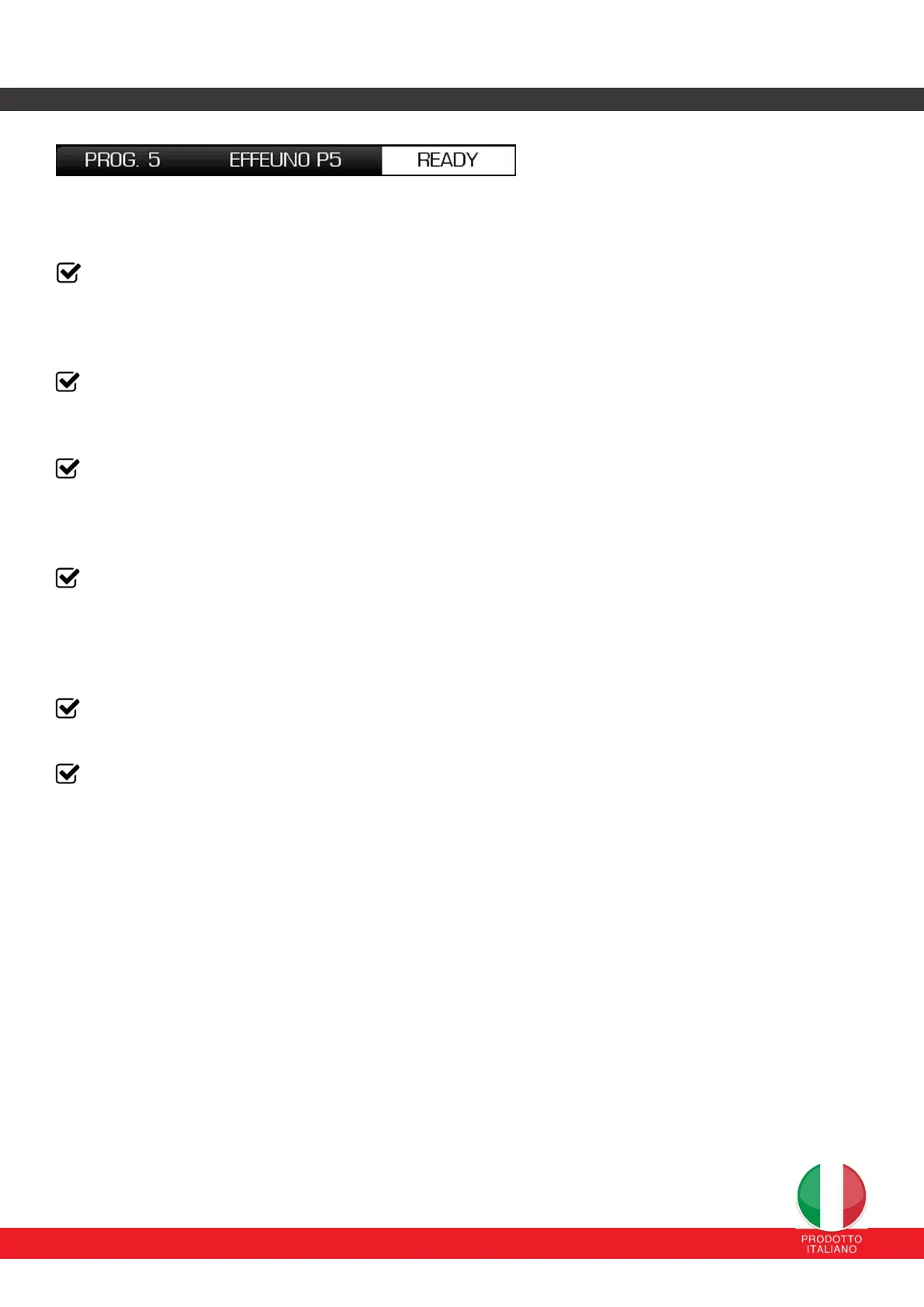
The label that appears to the right of the description of the current program represents the current status of the oven. In
particular:
STANDBY: the oven is waiting for a command from the user so that the temperature control starts following
the assigned temperature set-point. This is the initial state when the oven is turned on or after the ON/OFF
button has been pressed for 4 seconds. A pop-up will appear to inform you that STANDBY mode has been
restored.
READY: the oven is ready for cooking and the temperature control is active. If cooking is via program, the
oven reaches this state after the preheating and holding state established in the program. Instead, if you use
the control in Manual mode, READY is the state of the oven during cooking, following the standby state.
PREHEAT: the oven is in preheat mode. The power percentages of the top and bottom are set to preheat the
cooking chamber and the refractory stone from room temperature to the set set point temperature.
(view paragraph 12.2.3)
MAINTAIN: the oven is in maintenance mode. The power percentages of the top and bottom are set to keep
the set point temperature in the chamber constant. The objective of this phase is to prevent the cooking
temperature from being excessively high/low to start the cooking process.
(view paragraph 12.2.4 )
BOOST: the oven is in boost mode. The top and/or floor power percentages are set to a maximum value of
100% for a maximum time of 180 seconds. (vedi paragrafo 4.2.5 per approfondire)
ECO: the oven is in ECO mode. This mode optimizes the use of energy resources and reduces the
instantaneous power supplied to the resistors by 40%.
(view paragraph 12.2.6)
An energy saving function has been implemented in this version:
In the event of inactivity or lack of operation, such as running a program, for over an hour,
the oven control will automatically go into STANDBY mode, turning off the light.
The control panel will remain on to allow the eventual saving of the finished program


 To Next Page
 Loading...