Pagina 18 di 28
12.3 SETTINGS SCREEN
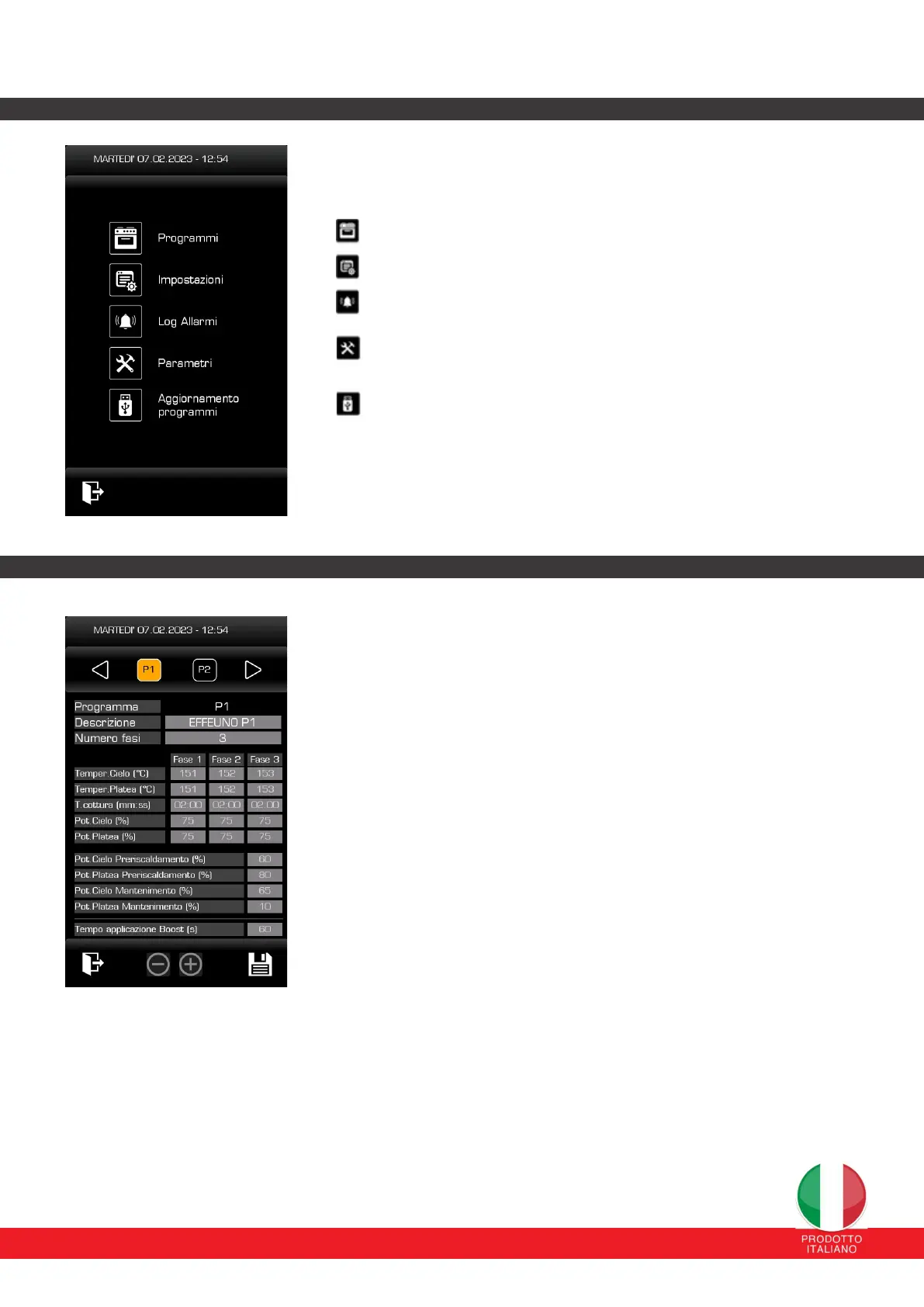
From this page it is possible to access the different settings pages by
pressing the respective button.
Programms: see Programs sections (Paragraph 12.4)
Settings: see Settings sections (Paragraph 12.5)
Alarm Log: see Alarm Log (Paragraph 12.7)
Parameters: possibility to change Boost percentage.
Program update: view (Paragraph 12.8).
12.4 PROGRAMS SCREEN
For each of the 30 programs it is possible to modify the name (via an
alphanumeric keypad that appears on the screen), the number of phases and,
as parameters, the ceiling/chamber temperature set-point, the cooking time,
the ceiling percentages /floor and the percentages to be applied in preheating
and holding mode.
The name of the programs can be set for a maximum of 16 alphanumeric
characters and the number of usable programs ranges from no. 1 to n. 30.
Program “0” or Manual refers to manual settings that the operator can set from
time to time; if no setup changes are applied, the parameters are set by default
by the control parent company.
Program “0” is the manual program by default and always has only one
cooking phase. It is possible to modify its cooking time and its set-points
directly from the main page.
It is also possible to set the maximum time (180 sec) for applying the Boost
mode (parameter valid for all programs).
ATTENTION: The parameters must be set according to a logical operating
criterion. Parameters set in a manner that is inconsistent and logical with the
operating system DO NOT guarantee satisfactory results.
11.5 CREAZIONE PROGRADI COTTURA


 To Next Page
 Loading...