Pagina 20 di 28
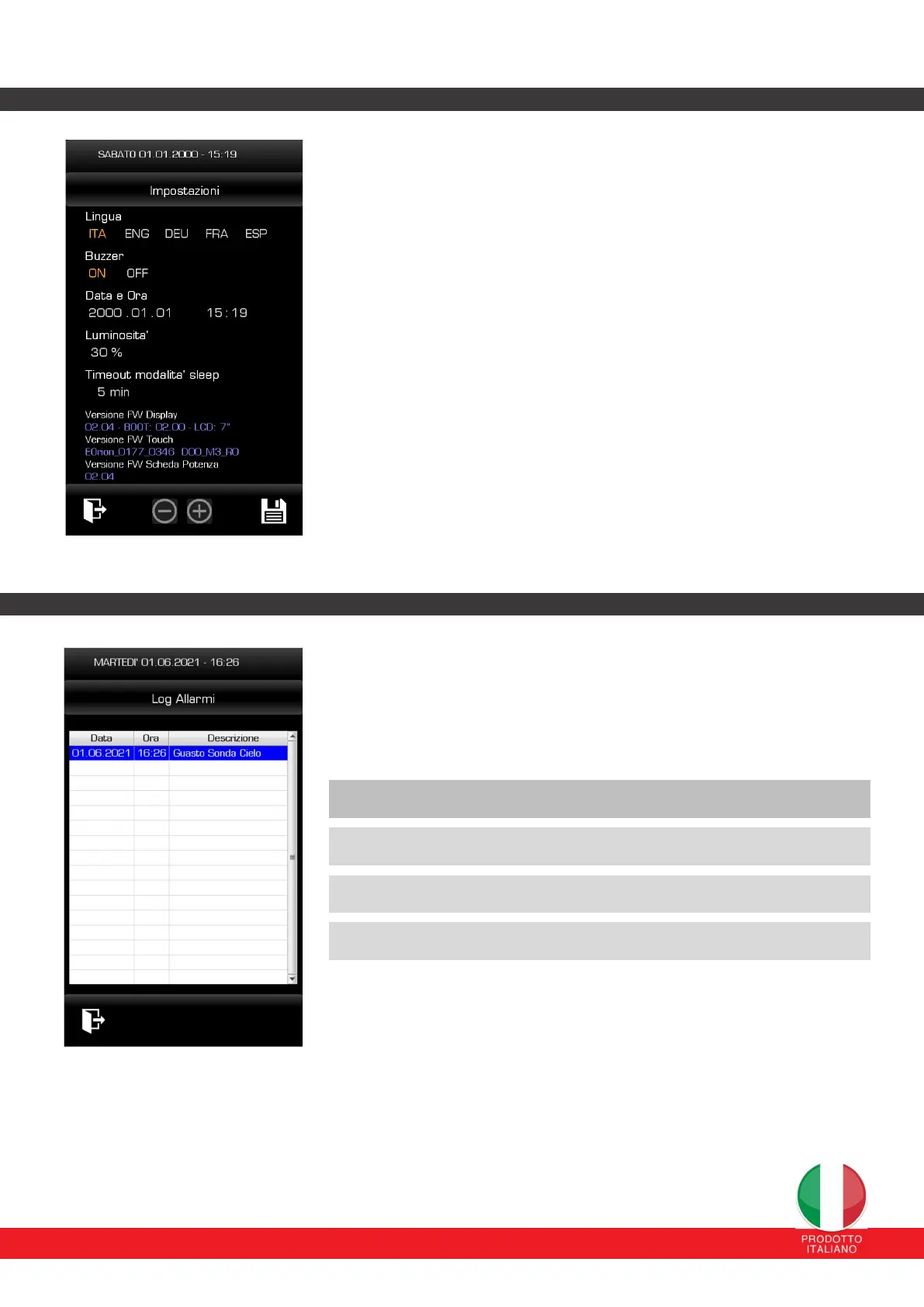
12.6 DISPLAY SETTINGS PAGE
From this page you can set:
The interface language: the available languages are Italian, English,
German, French, Spanish.
Buzzer: enabling the acoustic signal when the keys are pressed. The
date (year, month and day) and time.
Screen brightness from minimum 10% to maximum 100%. Sleep
mode timeout: You can set the inactivity time after which the display will
go into standby mode (display screen completely turned off). Normal
operation with the display screen turned back on will be restored with a
touch on any part of the display. (ATTENTION: this mode is not activated
when the program is running).
Display Board and Power Board FW Version: the firmware versions
of the power board and the board that controls the display itself are
also displayed.
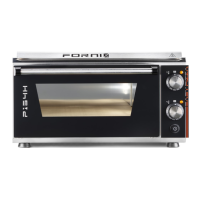
12.7 ALARM LOG SCREEN
This page displays the alarms and faults that have occurred.
The possible faults that are detected and displayed are the following:
Alarm description Type
Communication error between cards Blocker
Sky/room probe fault Blocker
Technical compartment overheating Blocker


 To Next Page