Pagina 21 di 28
12.8 MULTIMEDIA SCREEN
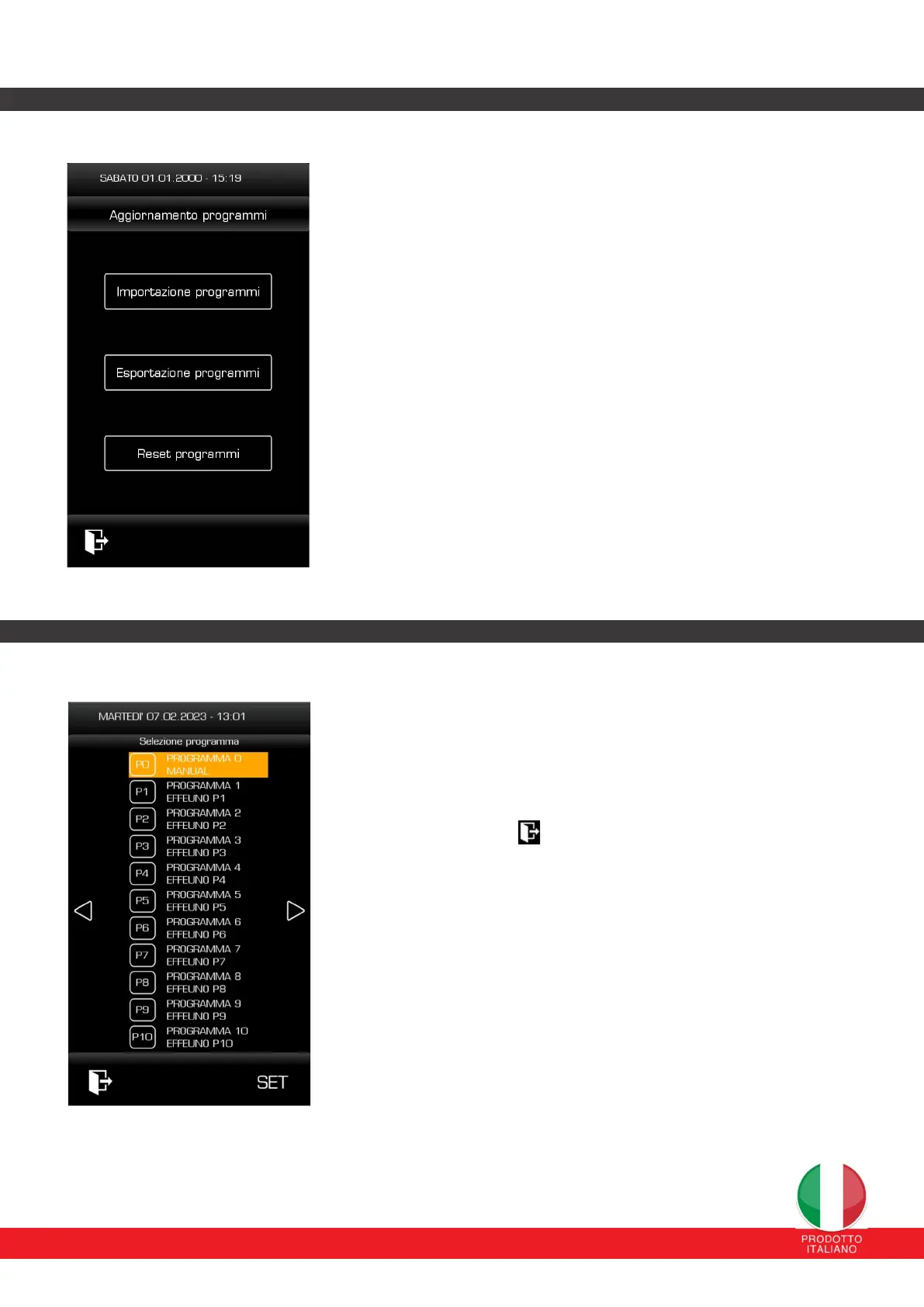
From this page, with a FAT32 formatted USB stick inserted in the relevant
connector, it is possible to carry out:
Importing programs: the system searches for a file called
“PROGRAMS.CSV” and imports the related parameters.
Program export: the system exports a file called “PROGRAMS.CSV”
with the programs saved in the oven's memory.
Reset programs: the system returns the programs to the default ones
set in the factory (no USB stick required)
We strongly recommend exporting a complete backup to a USB stick so as
not to lose all the saved settings in the event of a complete reset for service
assistance.
ATTENTION: the loaded .csv file deletes and overwrites all previously
loaded programs.
12.9 COOKING PROGRAM CYCLE
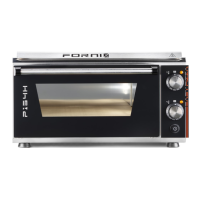
From this page it is possible to select the default program to load from the
28 available (in addition to the manual program).
By pressing the SET button you set that specific cooking program and all
the parameters of the selected program are loaded.
By pressing the button you return to the main page.


 To Next Page