Pagina 22 di 28
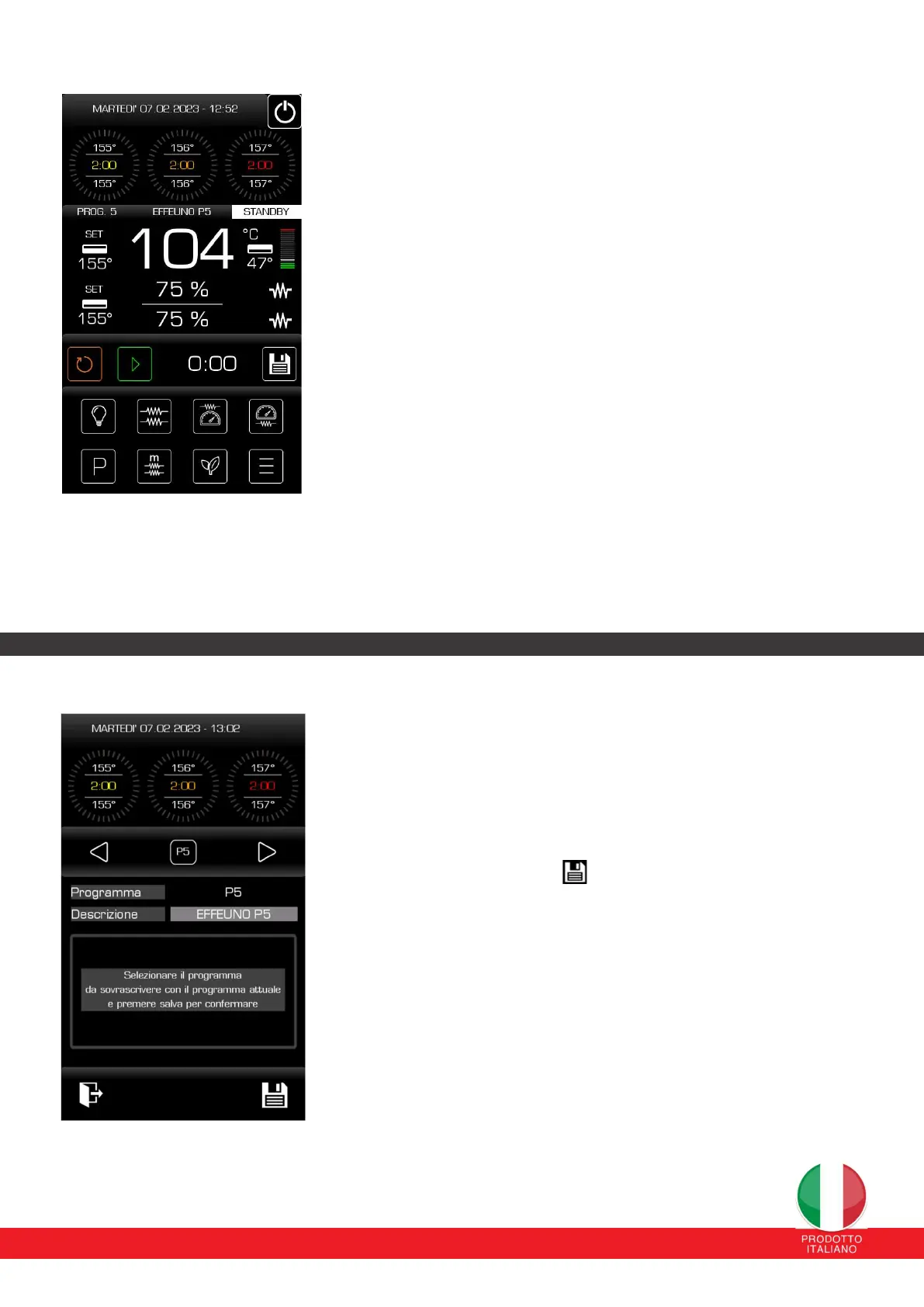
If the loaded program has more than one phase, these phases are
displayed on the upper part of the display and are represented by circular
crowns whose bars are colored as time passes.
The cooking times, power percentages and temperature set-points of the
various phases are also indicated (the order of the phases goes from left to
right).
When a phase ends it is no longer possible to modify its values and its
indicator is darkened and the next phase foreseen by the program starts
automatically.
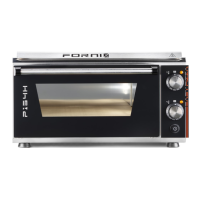
12.9.1 CURRENT PROGRAM SAVE PAGE
From this page it is possible to save the current program on one of the
available programs (from 1 to 30).
It is also possible to rename it with a description of your choice for a
maximum of 16 characters (via an alphanumeric keypad that appears
on the screen).
By pressing the SAVE button the program is written into memory.


 To Next Page