EFILive AutoCal Customer Quick Start Guide
Step two:
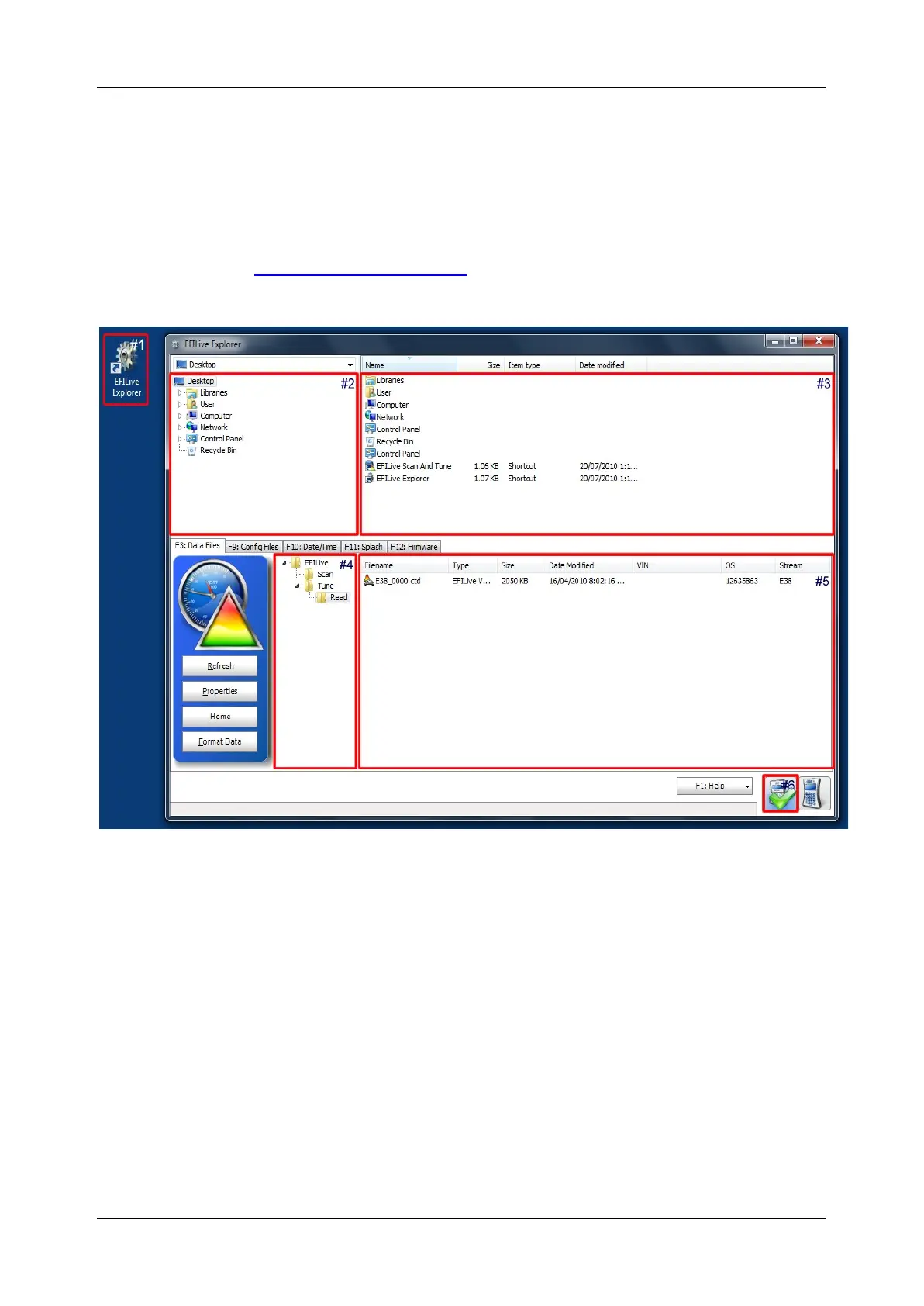
Using EFILive Explorer read and copy the stock tune to your desktop
for emailing to Rob@atptrucks.com
Connect AutoCal to your computer and open EFI Explorer from your desk
top. Click F3 Data Files. Then click and drag tune from example #5 in the
Picture below onto your desktop in window #2. This is the file you email to
rob@atptrucks.com
The EFILive Explorer application is used to copy files to and from your AutoCal device.
Generally the file Copy, Move, Rename and Delete operations function similarly to the
Windows Explorer functions you are familiar with on your Windows computer operating
system.


 To Next Page