EasyManua.ls Logo

ei3 IAA-254-H-S14 - User Manual

Default Icon
26 pages
Print Icon
To Next Page IconTo Next Page
Loading...
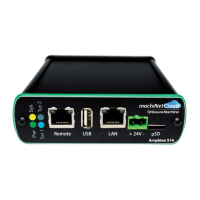
Amphion S14
S14-H (green box)
S14-N (red box)
S14-C (black box)
User Guide
ei
3
Part Numbers
IAA-254-H-S14
IAA-30-N-S14
IAA-30-C-S14
© 2019 ei
3
Corporation
Version 2.0

Questions and Answers

Summary

Important Information

Specifications

Electrical

Configuration

S14-N Configuration Details

Manual Configuration Steps

Step-by-step guide for manual configuration of the S14-N device, including IP and network settings.

S14-H and S14-C Configuration Details

Internet Access Configuration

Configuring internet access settings for S14-H and S14-C via DHCP or manual entry.

Shop Floor LAN Configuration

Configuring Shop Floor LAN settings for S14-H and S14-C.

Rebooting the S14

Troubleshooting

Yellow LED: Power Status

Interpreting the yellow LED status for power indication and troubleshooting power issues.

Green LED: System Status

Interpreting the green LED status for system operation and troubleshooting.

LED Status Indicators

Blue LED: Tunnel Connection

Interpreting the blue LED status for tunnel connection status and troubleshooting.

Troubleshooting Steps

Yellow Power LED Not On

Troubleshooting steps for when the yellow Power LED is not illuminated.

Green System LED Issues

Troubleshooting steps for issues related to the green System LED status.

Ethernet Link LED Troubleshooting

IP Config Test

ei3 IAA-254-H-S14 Specifications

General IconGeneral
Brandei3
ModelIAA-254-H-S14
CategoryNetwork Hardware
LanguageEnglish

Related product manuals