5
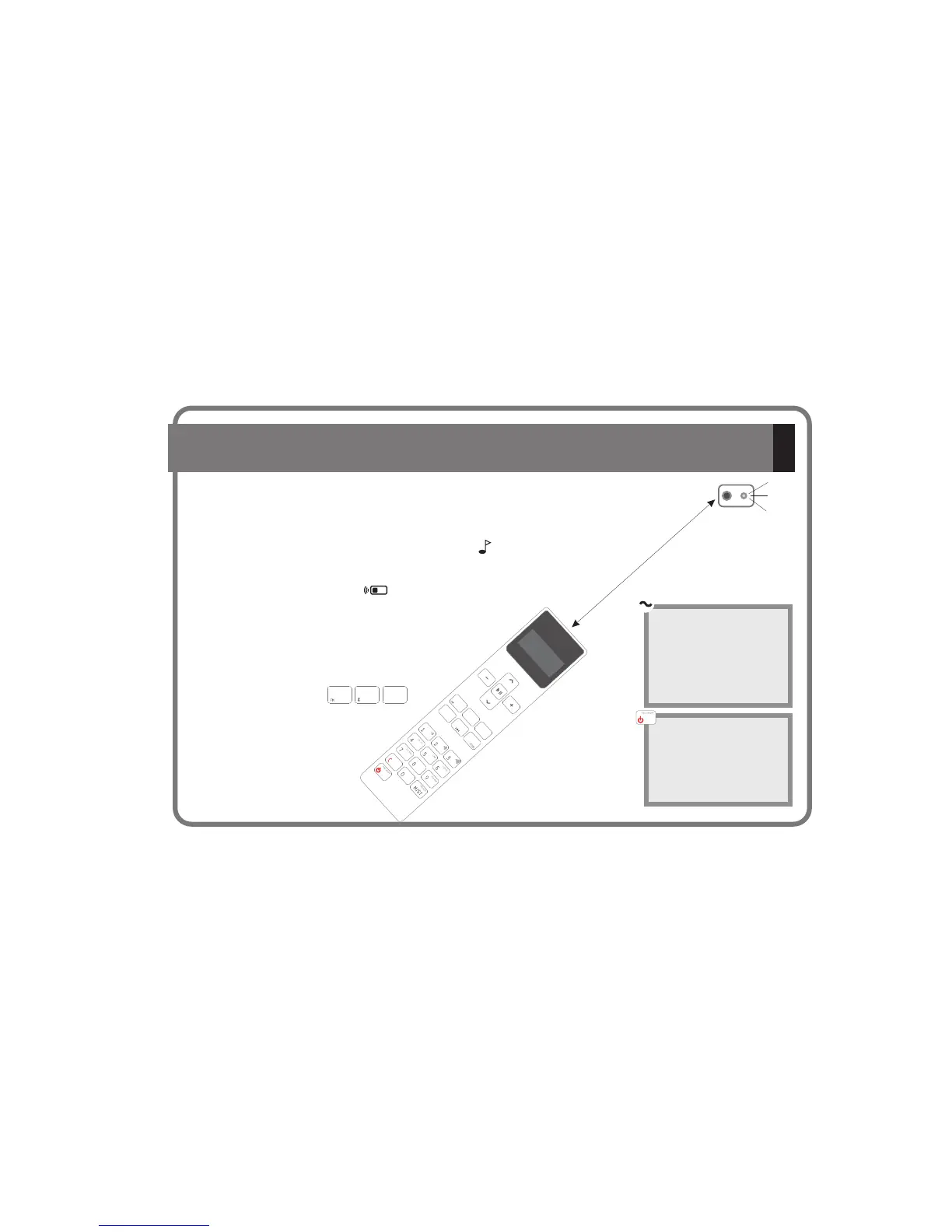
1.- All of the functions only work (except ON/OFF) when the Remote Control is in “on” mode.
Once the is connected to the mains, it will remain powered even it is in OFF state. The OFF
state
KBSOUND2.-
®
iSelect / Space
beep
5m
The
will turn on with the
audio and station frequency
settings saved as the “ideal”
mode settings (see chapters
3 and 6) when the unit is
connected to a power
supply.
When switched off and on
while connected to the
power supply, the audio and
station frequency settings
will be the same as when
the unit was last switched off
with the Remote Control
ON/OFF key
KBSOUND
®
iSelect /
Space
2. General Operating Notes
DAB iPOD
AUDIO IN
3.-
4.- The Remote Control unit exchanges information (transmits and receives data) by
means of the IR capsule in the loudspeaker grille. If at any time there is a failure in the
communication, the screen will display the symbol. In the event of this
occurring, point the Remote Control to the IR capsule at a straight-line distance of no
greater than 5 meters.
5.- The Remote Control display will automatically turn off when
there has been no keying activity for more than a few seconds,
ensuring more efficient battery usage. To view the display
information at any time, point the Remote Control to the
transmission-reception capsule and press the key of the
selected sound source at this time
A short BEEP sound signal indicates that the data has been received
AUDIO IN
iPOD
CC-1194ENG-01



 To Next Page