10
6. “Ideal” mode
Key Sequence Display
The "IDEAL" mode of operation can be instantly accessed by pressing the IDEAL key on the
remote control. In this mode, a specific station is played at particular levels of volume, bass,
treble and loudness.
To program your "IDEAL" mode of operation, select the desired levels of volume, bass, treble
and loudness, as well as the station frequency. Then hold down the IDEAL key for 2”
IDEAL
IDEAL
2’’
7. Play your iPod through
kit
KBSOUND
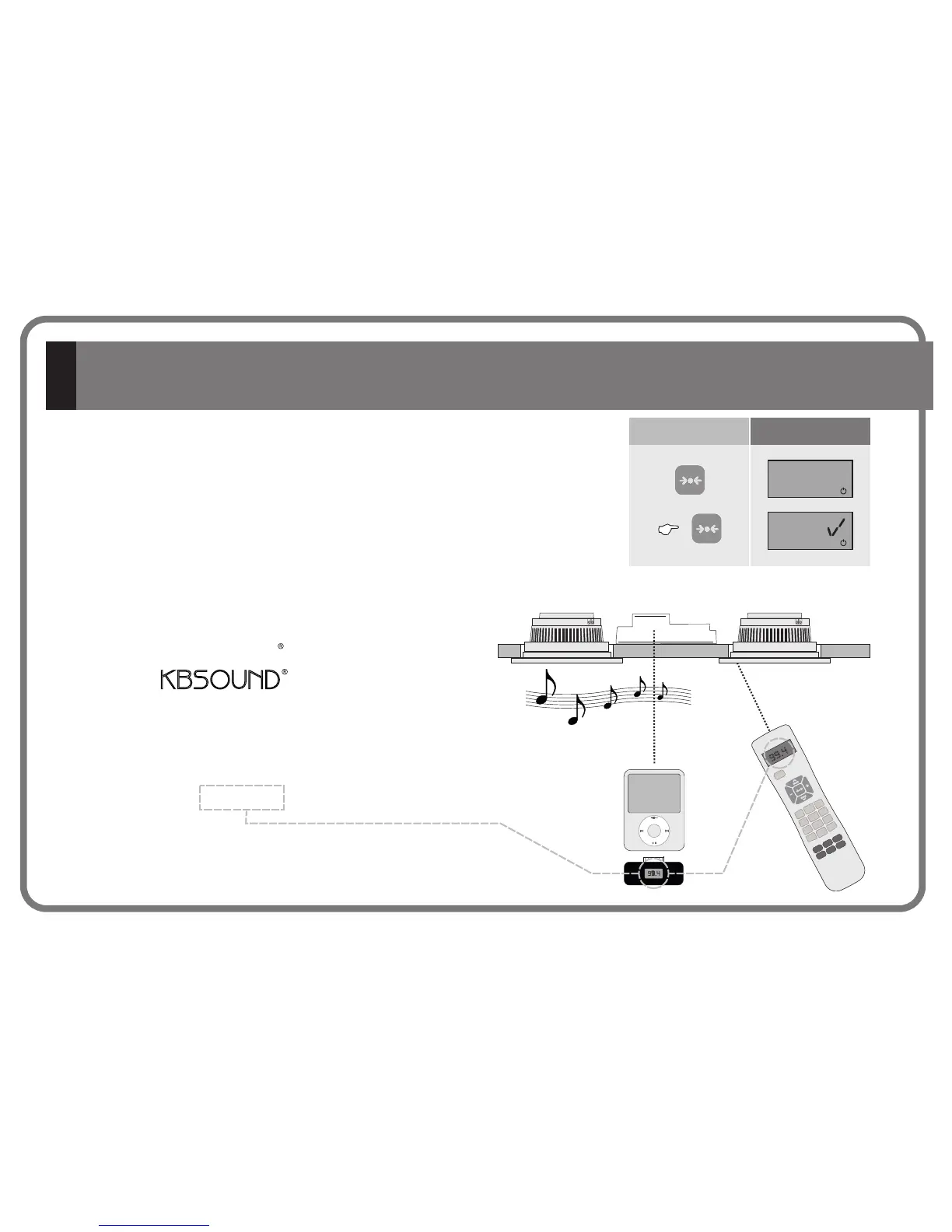
1. Select an FM frequency on your kit . Dial a numeric
frequency (see Chapter 4.2) on which you hear nothing but static
noise with no audio in the background nor any of the neighboring
frequencies.
2. Select the same FM frequency using your iTrip® or any other
FM transmitter
3. From the iPod® or any other MP3 player you can change the
track, album, artist, etc. anywhere in the room . No additional
wires needed.
®
KBSOUND
102.50
SCAN
SCAN
1
3
4
5
6
7
8
9
DEL ALL
PGR ALL
DEL MEM
PGR MEM
0
C
FM
VOL
BASS/
TREBLE
BAL
L
OUD
MUTE
M/ST
102.50
SCAN
SCAN
PGR ON/OFF
1
2
3
4
5
6
7
8
9
DEL ALL
PGR ALL
DEL MEM
PGR MEM
0
C
FM
VOL
BASS/
TREBLE
BAL
LOUD
MUTE
M/ST
102.50
SCAN
SCAN
1
3
4
5
6
7
8
9
DEL ALL
PGR ALL
DEL MEM
PGR MEM
0
C
FM
VOL
BASS/
TREBLE
BAL
L
OUD
MUTE
M/ST
SCAN
SCAN
PRG ON/OFF
1 2 3
4
5
6
7 8
9
DEL ALL
PRG ALL
DEL MEM
PRG MEM
0
C
FM
VOL
BASS/
TREBLE
BAL
LOUD
MUTE
M/ST
99.4
MENU
99.4
CC-1146-01.1


 To Next Page