6
4. Operating the FM Tuner
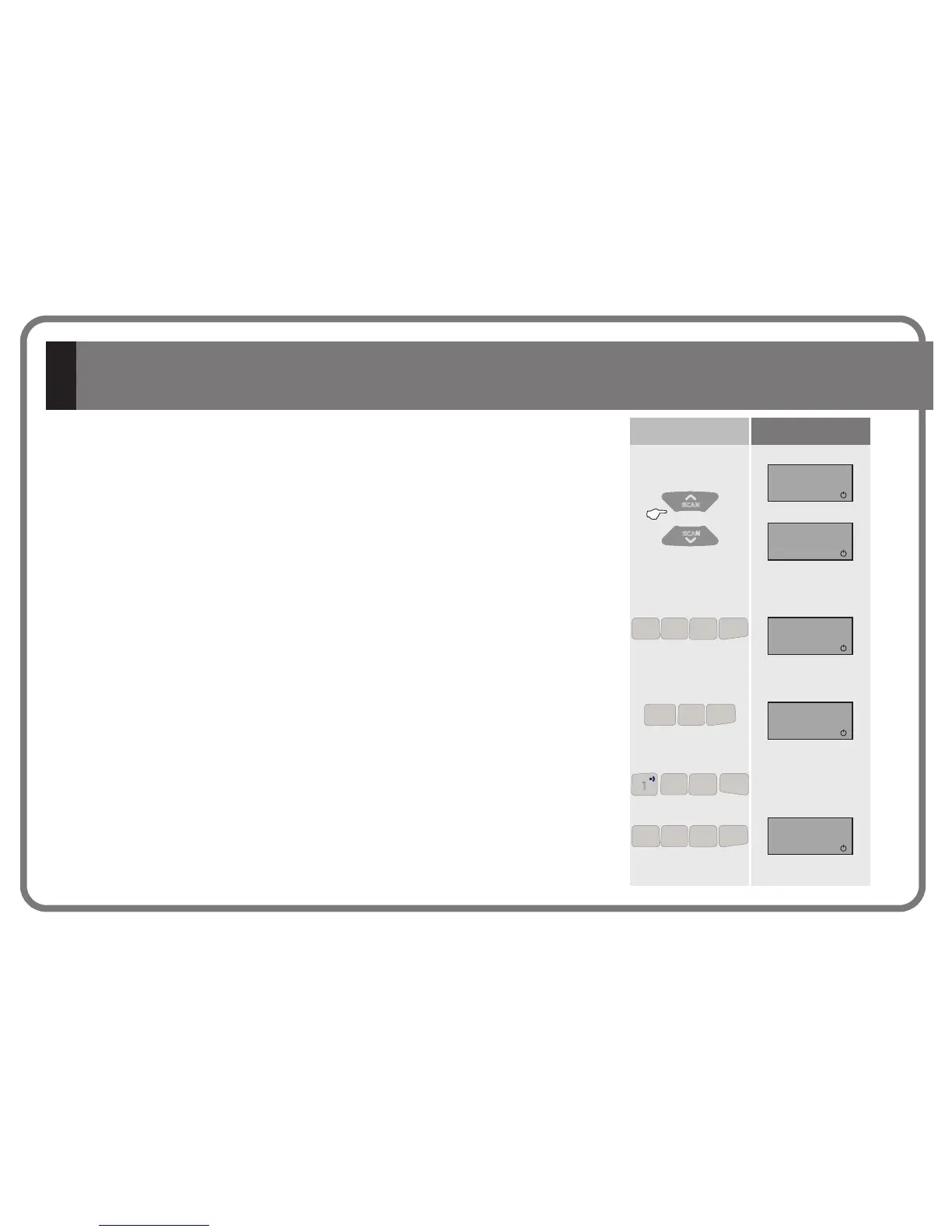
Key Sequence Display
To directly key in an FM station frequency, sequentially press the numeric keys of the
station frequency then press the FM key. For example, to select 94.7, press 9 4 7 FM.
Note: A station frequency can be keyed in as either 94.7 (9 4 7 FM)
or as 94.70 (9 4 7 0 FM)
If the frequency keyed in is not correct or if more digits than necessary are keyed in, the
screen will display the word “ERROR”
To clear a digit keyed in and start keying in
a different frequency, press the C key
and then begin keying in the desired
frequency
4.2 Directly Keying Station Frequency
While the search is taking place, the word “SCAN” will appear on the display screen.
The screen will duly display the station frequency of the next station located.
4.1 Station Search
1”
94.70
94.70
ERROR
FM
FM
SCAN
102.50
FM
SCAN
SCAN
SCAN
SCAN
SCAN
SCAN
SCAN
SCAN
4444
7
DEL ALL
7
DEL ALL
7
DEL ALL
7
DEL ALL
9
PGR ALL
9
PGR ALL
9
PGR ALL
9
PRG ALL
PGR MEM
FM
PGR MEM
FM
PGR MEM
FM
PRG MEM
FM
4444
7
DEL ALL
7
DEL ALL
7
DEL ALL
7
DEL ALL
9
PGR ALL
9
PGR ALL
9
PGR ALL
9
PRG ALL
PGR MEM
FM
PGR MEM
FM
PGR MEM
FM
PRG MEM
FM
4444
5555
PGR MEM
FM
PGR MEM
FM
PGR MEM
FM
PRG MEM
FM
1
1
1
1
4444
7
DEL ALL
7
DEL ALL
7
DEL ALL
7
DEL ALL
DEL MEM
C
DEL MEM
C
DEL MEM
C
DEL MEM
C
CC-1146-01.1


 To Next Page