5
1s
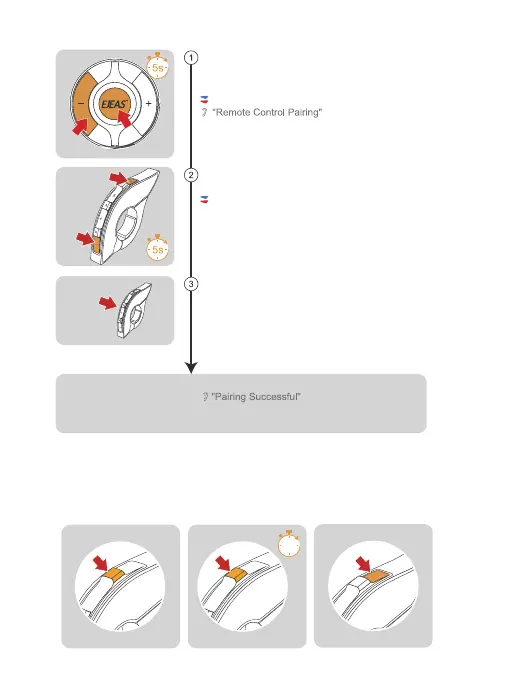
Press and hold the <Phone/Power Button> + <Volume -> for about
5s to enter the pairing mode, the voice prompts "Remote Control
Pairing", the red and blue lights flash alternately, if the pairing is not
successful within 2 minutes, exit the pairing.
Red light and blue light flash alternately
Until the red and blue lights come on
EUC Pairing
EUC Handle Operation
Bluetooth Intercom
Connection
Bluetooth Intercom
Disconnection
FM
On/Off
Mesh intercom reconnect/disconnect and mobile phone control are the same as on the machine.
Press and hold the < FM Button >+ < Volume - > on the handle for about
5s to clear the record until the red and blue lights come on.
Click any button of EUC
Pairing Successful
(
No successful pairing within 2 minutes, exit the pairing)
Any


 To Next Page