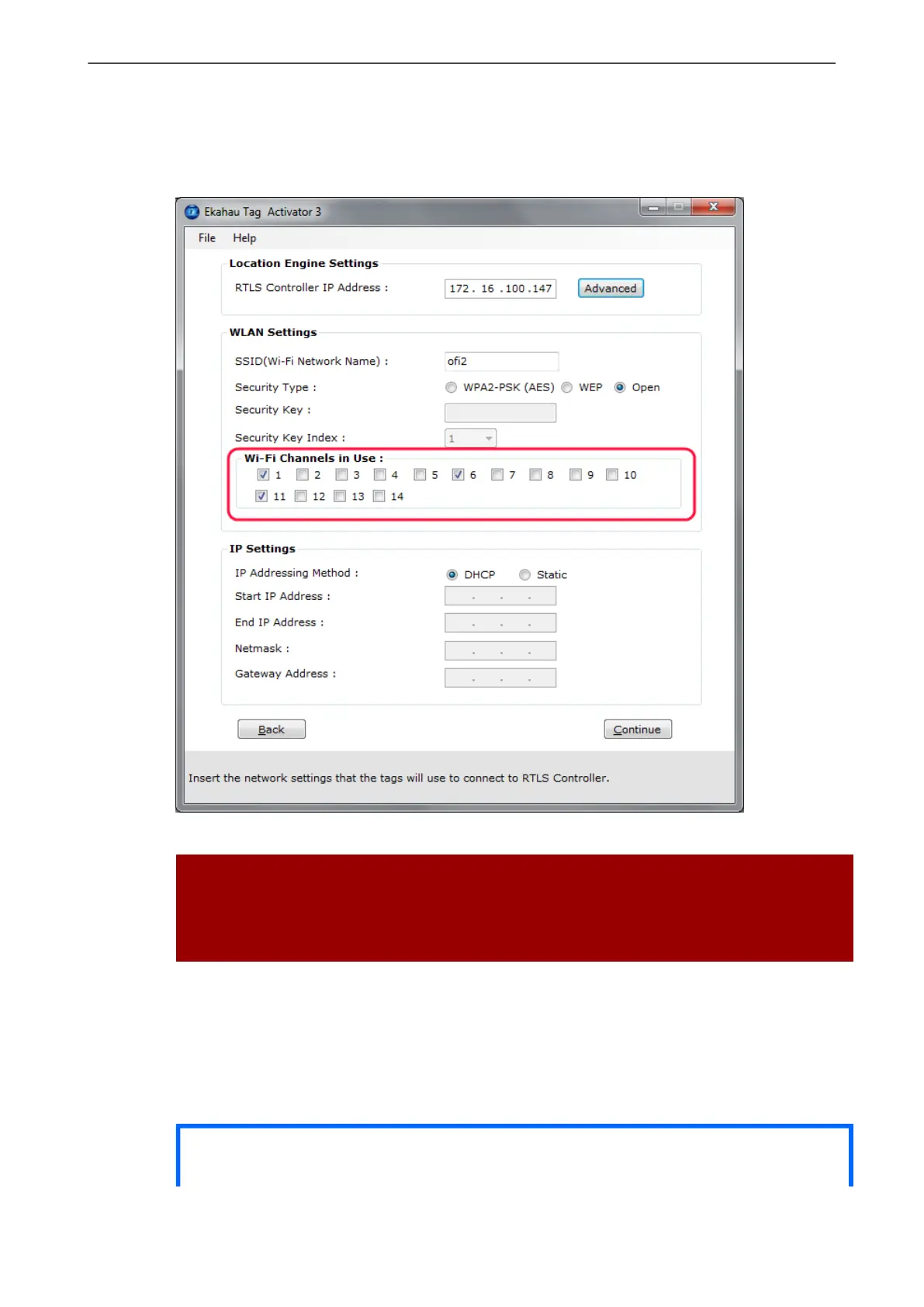
Figure 2.4. Specifying the channels used in the network
Warning
Only use channels that really exists in you Wi-Fi network. Activating unnecessary channels will
reduce the tag's battery lifetime!
2.3.4 Configuring IP Settings
Check the IP settings. If DHCP is used nothing needs to be done. In case your network uses static
IP addressing, type in the IP address range to be used for the B4 tags, Netmask and Gateway
addresses.
Tip
Chapter 2. Initial Activation of the Tag
9



 To Next Page