11
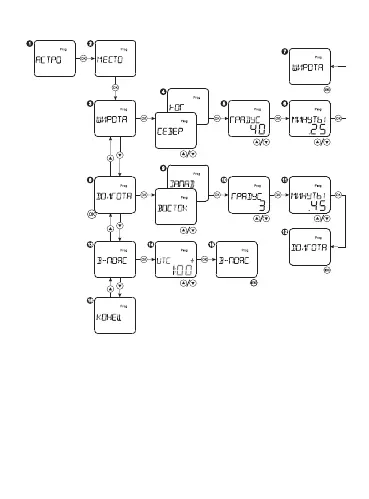
Geographical location setting up:
Select the mode ASTRO and press OK. Then select the menu item
LOCATION and press OK. Select the menu item LATITUDE and press
OK to set up the latitude. Then select the southward or northward, set
up the degrees and minutes with the buttons «▲▼». Press OK to con-
rm. Set up the longitude in the same way. Menu item - LONGITUDE.
The time zone can be also set up. Select the menu item TIME ZONE
and set up the time zone within ±12. Press MENU to return to the main
menu.


 To Next Page