7
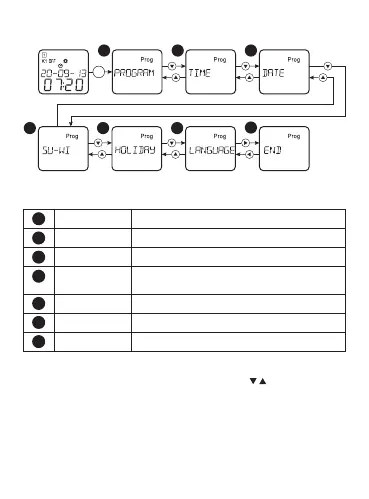
Main menu:
Table 4
PROGRAM Programming mode
TIME Time setting
DATE Date setting
SUMMER/
WINTER
Switching to winter/summer time
HOLIDAY Holiday mode setting
LANGUAGE Language selection
END End of settings and exit from the menu
Press the button «MENU» in order to enter the main menu. Select
the required menu option by using buttons « ». If there is no
activation during two minutes, the timer will exit automatically
from the menu
1 2 3
4
5
6
7
MENU


 To Next Page