13
OPERATION (CONT.)
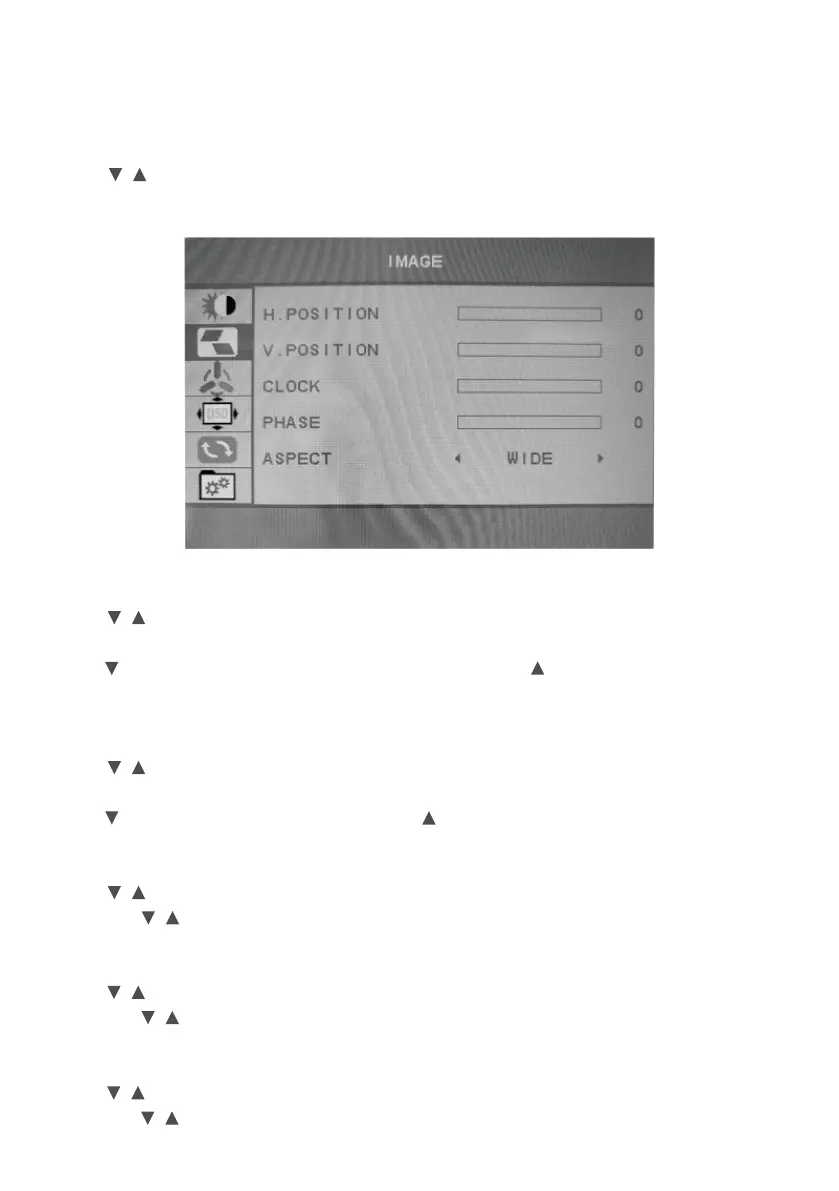
IMAGE
Press / button to select IMAGE, and then press MENU button to confirm your
selection. This item can adjust the configuration automatically (VGA Mode).
H. Position
Press / button to select H. Position, and then press MENU button to confirm your
selection.
Press button image will move toward the left side. Press button image will move
toward the right side.
V. Position
Press / button to select V. Position, and then press MENU button to confirm your
selection.
Press button image will move down. Press button image will move up.
CLOCK
Press / button to select Clock, and then press MENU button to confirm your selection
and press / button to adjust.
PHASE
Press / button to select Phase, and then press MENU button to confirm your selection
and press / button to adjust.
ASPECT
Press / button to select Phase, and then press MENU button to confirm your selection
and press / button to adjust. (WIDE or 4:3).


 To Next Page