30
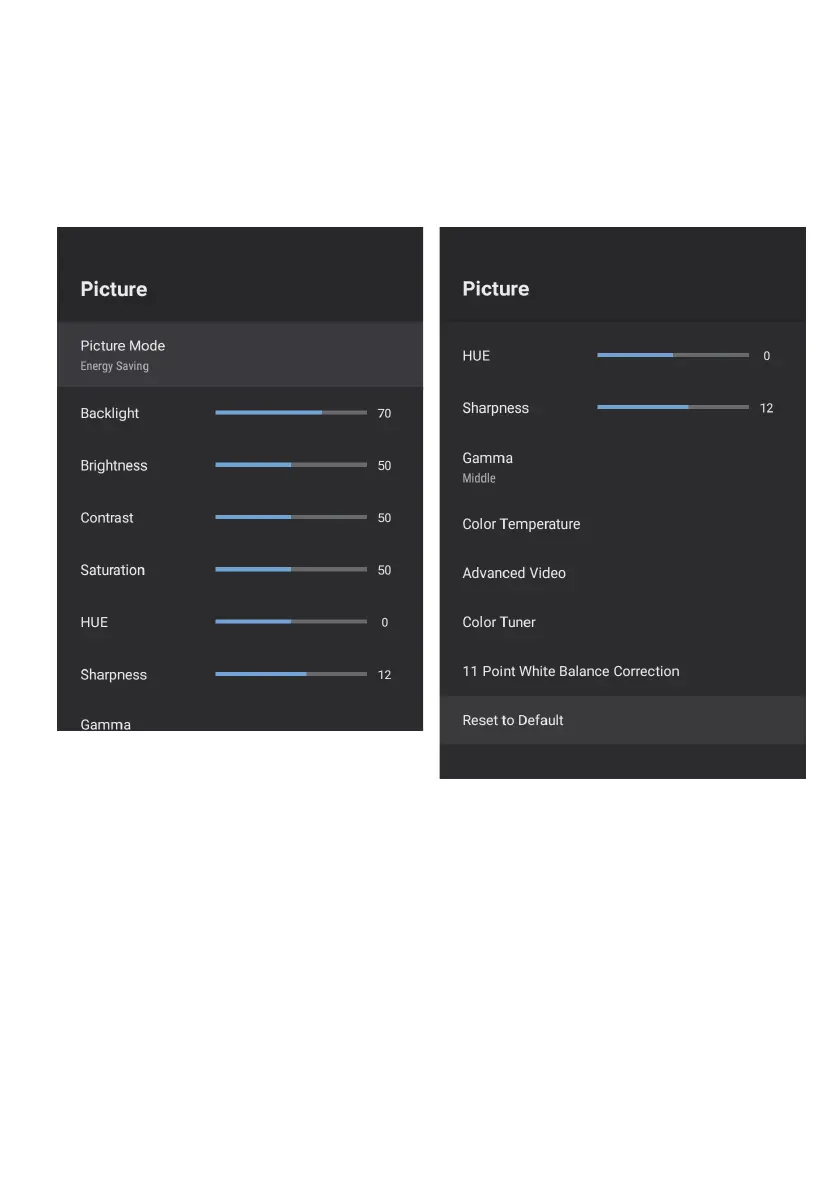
PICTURE SETTINGS MENU
To access PICTURE SETTINGS menu,
1. Select SETTING icon (#5 on page 19) via the HOME screen.
2. Select “Device Preferences”
3. Then go down and select “PICTURE”.
Picture Mode - Options to choose from - Standard, Vivid, Sport, Movie, Game,
Energy Saving, User.



 To Next Page