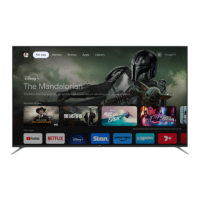
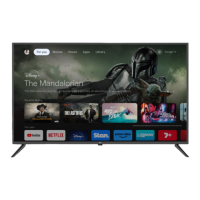
This document is an instruction manual for an EKO 65" 4K Ultra HD Smart TV, model K650USG, powered by Android TV with Google Assistant.
Function Description:
The EKO K650USG is a 65-inch 4K Ultra HD Smart TV designed for home entertainment. It runs on Android TV™ 11, providing access to a wide range of applications, streaming services, and smart features. The integrated Google Assistant allows for voice control, making it easy to search for content, get recommendations, control smart home devices, and manage tasks. The TV supports various multimedia playback formats via USB, including video, music, and photos. It also includes a Personal Video Recorder (PVR) function, enabling users to record DTV channels when a USB drive is inserted. The TV can be connected to the internet via Ethernet or Wi-Fi, offering seamless access to online content.
Important Technical Specifications:
- Operating System: Android TV™ 11 for Android TV™
- Resolution: 3840 x 2160 (4K Ultra HD)
- Display Colours: 1.07 Billion
- Contrast Ratio: 5000:1
- Aspect Ratio: 16:9
- Refresh Rate: 60Hz
- Ethernet/Wi-Fi: Yes/802.11 b/g/n/a/ac
- Multimedia Playback Formats (USB Mode):
- Movie: MPEG, TS, TRP, TP, MP4, MOV, 3GP, AVI, MKV
- Music: MPEG1
- Photo: JPEG, PNG, BMP, MPO
- Power Source: 100-240V ~ 50/60Hz
- Power Consumption: 170 W
- USB: 5V max. 500mA
- Dimensions:
- With stand: 1455 (w) x 333 (d) x 907 (h) mm
- Without stand: 1455 (w) x 83.1 (d) x 844 (h) mm
- Weight:
- Net: 16.7 kg
- Gross: 22.1 kg
- VESA Pattern: 400 (w) x 300 (h) mm
- Inputs/Outputs:
- USB ports (multiple)
- HDMI ports (HDMI1 eARC, HDMI2, HDMI3, HDMI4)
- Headphone jack
- RJ45 (Ethernet)
- Optical
- AV IN
- ANT (Antenna)
Usage Features:
- Initial Setup Wizard: Guides users through the initial configuration, including language selection, Wi-Fi connection, Google Account sign-in, and channel scanning.
- Bluetooth Remote Control Pairing: The remote control needs to be paired during initial setup by pressing LEFT + MENU buttons for 3 seconds.
- Android TV Home Screen: Provides a centralized hub for Live TV, pre-installed and downloaded applications, and content recommendations.
- Google Play Store: Allows users to download and install a wide variety of apps and games. Requires a Google Account sign-in.
- Google Assistant: Voice control functionality for searching content, getting recommendations, controlling smart home devices, and managing tasks. Activated via a dedicated button on the remote.
- Inputs Menu: Easily switch between different input sources such as Antenna, Cable, ATV, Composite, and HDMI ports. Available inputs are highlighted.
- Settings Menu: Comprehensive options for customizing TV operation, including:
- Network & Internet: Manage Wi-Fi connections and network privacy.
- Channel Menu: Auto channel update, channel update messages, and parental controls.
- Device Preferences:
- About & Time Settings: System updates, device name, factory reset, status information, legal information, model, Android TV OS version, software version, automatic date & time, set date, set time, set time zone, and 24-hour format.
- Input Settings: Manage standby inputs, HDMI control (CEC), device auto power off, TV auto power on, and CEC device list.
- Power Settings: Sleep timer (options from 10 mins to 120 mins), picture off, switch off timer, no signal auto power off, and auto sleep.
- Picture Settings: Picture mode (Standard, Vivid, Sport, Movie, Game, Energy Saving, User), Dolby Vision notification, backlight, brightness, contrast, saturation, HUE, sharpness, gamma, color temperature, advanced video, color tuner, 11 point white balance correction, and reset to default.
- Sound Settings: System sounds, sound style (Standard, Vivid, Sports, Movie, Music, News, User), balance, bass, treble, sound surround, equalizer detail, speaker delay, eARC, digital output (Auto, Bypass, PCM, Dolby Digital Plus, Dolby Digital), digital output delay, auto volume control, downmix mode, Dolby Audio Processing, dialogue enhancer, and reset to default.
- Home Screen & Screen Saver: Customize channels, enable video/audio previews, reorder apps/games, open source licenses, Android TV Home, Android TV Core Services, screen saver (Backdrop), when to start (after 5 minutes of inactivity), and start now.
- Google Assistant Settings: Turn Google Assistant on/off, manage accounts, accept permissions, searchable apps, SafeSearch filter, and open source licenses.
- Parental Control: Set a password to lock channels, restrict programs, block inputs, and change PIN.
- PVR (Personal Video Recorder): Record DTV channels to a USB drive (FAT32 format required). Features include Record List, Device Info, Schedule List, and Time Shift Mode (pause/rewind/play Live TV).
- Chromecast built-in™: Allows casting photos, videos, and music from a smartphone directly to the TV.
- Android TV Remote Control App: Control the TV using a smartphone by downloading the "Android TV remote control" app.
Maintenance Features:
- General Safety Guidelines: Emphasizes proper handling, installation, and environmental conditions to prevent fire, electric shock, and injury. Includes warnings about not exposing the appliance to rain/moisture, not tampering with the product, using recommended accessories, avoiding splashing water, and proper battery handling for the remote control.
- Cleaning: Recommends using a dry cloth for cleaning and unplugging the product from the power socket before cleaning.
- Troubleshooting (FAQs): Provides solutions for common issues such as "Ghost" or double image, no power, no picture, sound problems, poor picture quality, snowy picture and noise, horizontal dotted line, remote control unresponsiveness, and pixel issues.
- Customer Support: Offers a helpline number (02 8279 8606), email (help@eko-entertainment.com.au), and website (www.eko-entertainment.com.au) for product-related enquiries and technical questions. The TV comes with an in-home warranty.
- Software Updates: The manual implies that software updates may be necessary for resolving certain issues, such as persistent subtitles.

 Need help?

 To Next Page
 General