EasyManua.ls Logo

EKO KPR50 - User Manual

EKO KPR50
14 pages
Print Icon
To Next Page IconTo Next Page
Loading...
INSTRUCTION MANUAL
Please read this manual carefully before using, and keep it for future reference.
PORTABLE
AM/FM ALARM
CLOCK RADIO
KPR50
Question and Answer IconNeed help?

Do you have a question about the EKO KPR50 and is the answer not in the manual?

Overview

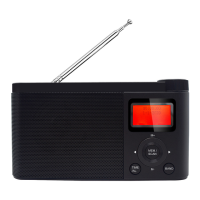
The EKO KPR50 is a portable AM/FM alarm clock radio designed for personal use. It offers a combination of radio listening, timekeeping, and alarm functions in a compact and portable form factor.

Function Description:

The primary function of the KPR50 is to provide AM/FM radio reception. It also incorporates an alarm clock, allowing users to set alarms for waking up or reminders. The device is designed for portability, offering both mains power and battery operation.

Important Technical Specifications:

  • Model: KPR50
  • Power Supply: DC 5V 1A (via Micro USB)
  • Battery: 4 x AA (not included) for backup power. The manual incorrectly states "3x C-Batteries" in the "Batteries (Optional)" section, but the "Specifications" section and the battery compartment image indicate "4 x AA BACK UP".
  • FM Frequency: 87 - 108MHz
  • AM Frequency: 522 KHz - 1600 KHz
  • Display: Digital display showing time, date, and radio frequency.

Usage Features:

  • Power ON/OFF & Sleep: The device can be powered on and off. It also features a sleep timer function, allowing the radio to automatically turn off after a set period (up to 120 minutes).
  • Radio Tuning:
    • Band Selection: Users can select between AM and FM bands using the "BAND" button.
    • Auto Scanning: Pressing and holding the "M-" or "M+" buttons (or the "M-" / "M+" buttons on the top panel) initiates an auto scan for radio stations.
    • Manual Tuning: The "M-" and "M+" buttons can be used to manually tune to the next or previous channel/frequency.
  • Volume Control: A dedicated volume knob allows for easy adjustment of the audio output. Turning clockwise increases volume, while counter-clockwise decreases it.
  • Shortcut Keys (Presets): The radio includes four shortcut keys (1, 2, 3, 4 on the top panel) to quickly access preset radio stations. To save a station, tune to the desired station and then press and hold one of the shortcut keys.
  • Lock Switch: A "LOCK/IST" switch is provided to prevent accidental button presses. Long pressing this switch locks the radio, and long pressing it again unlocks it.
  • Time Setting:
    • The time can be set in either 24-hour or 12-hour format.
    • Pressing and holding the "TIME/AL." button for 2 seconds enters time setting mode.
    • The "M-" and "M+" buttons are used to adjust the hour and minute values.
    • The "TIME/AL." button is pressed to confirm each step (24HR/12HR format, hour, minute).
  • Alarm Setting:
    • Short pressing the "TIME/AL." button displays the alarm symbol.
    • Long pressing the "TIME/AL." button enters alarm setting mode, where the hour time will start flashing.
    • The "M-" and "M+" buttons are used to adjust the alarm hour and minute.
    • The "TIME/AL." button is pressed to confirm each step.
  • Antenna: An extendable FM/AM wire antenna is provided for optimal reception. It should be extended to its full length and positioned for the best signal. If reception is weak, rotating or re-positioning the unit may improve it.
  • Display: The device features a digital display that shows the current time, date, and radio frequency.

Maintenance Features:

  • General Safety: The manual emphasizes reading the instructions carefully, storing the manual and warranty card, and following safety precautions to reduce risks of fire, electric shock, and injury.
  • Important Information:
    • Do not tamper with or modify the product.
    • Use only recommended accessories.
    • Avoid exposing the product to splashing water or placing objects on top of it.
    • Keep away from dripping or splashing liquids and objects like vases.
    • Ensure proper ventilation and do not cover openings.
    • Avoid placing naked flame sources (e.g., candles) on the product.
  • Placement Guidelines:
    • Ensure proper ventilation and avoid blocking openings.
    • Do not place near heat sources like radiators, stoves, or other audio-visual equipment.
    • Avoid placing small metallic objects on top of the unit.
    • Do not use or store flammable materials near the unit.
    • Do not place near sources of fire or explosion (e.g., candles, cigarettes, incense sticks).
  • Cleaning: To maintain the product, use a dry cloth to wipe down from marks or dust. Avoid using chemical or cleaning agents.
  • Troubleshooting Guide: The manual includes a troubleshooting section for common issues like "No Power" (check power cable, socket) and "Radio reception weak" (extend/re-position antenna, move away from other electronic devices).
  • Battery Replacement: The device uses 4 x AA batteries for backup, which can be replaced when needed. The battery compartment is located at the back of the radio.

EKO KPR50 Specifications

General IconGeneral
BrandEKO
ModelKPR50
CategoryClock Radio
LanguageEnglish

Related product manuals