10
BASIC OPERATION (CONT.)
LOCK SWITCH
1. LONG Press the LOCK/IST button on top of the product
to LOCK the radio so no other buttons can interfere.
2. Long Press Again to unlock.
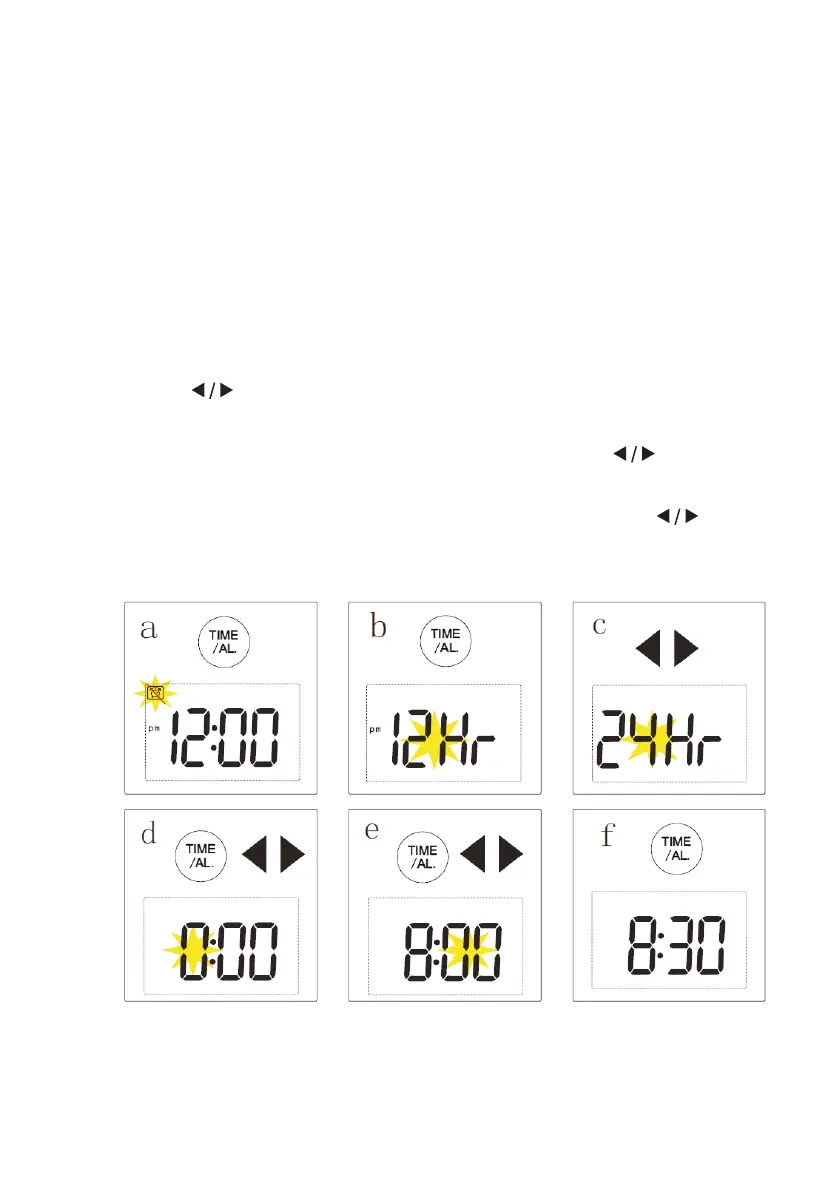
SETTING THE TIME
1. Long press the TIME/AL button for 2 secodns until
24HR/12HR appears on the screen.
2. Press to choose between 24HR/12HR, then press TIME/
AL again to proceed to the next step.
3. Now the HR (hour) should be flashing, Press to adjust
the hour then press TIME/AL to confirm.
4. Now the MIN (minutes) should be flashing, Press to
adjust the minutes then press TIME/AL to confirm.


 To Next Page