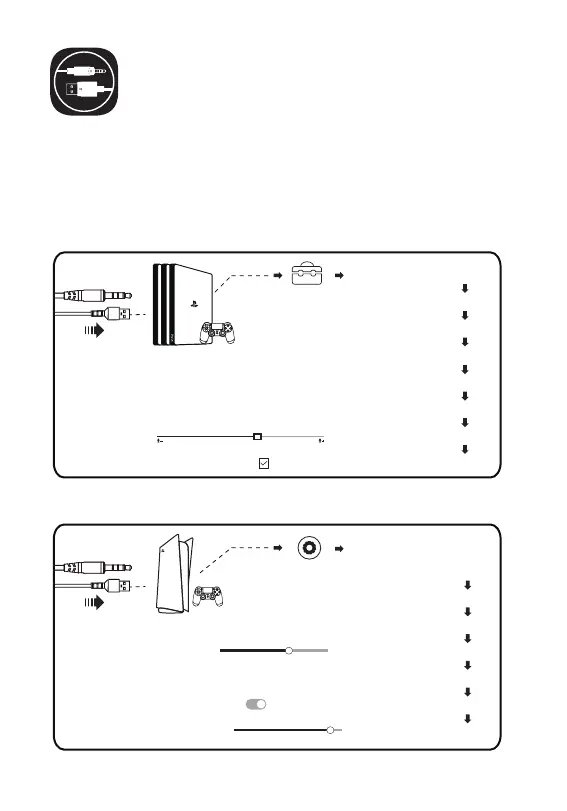
[Settings]
[Sound]
[Microphone - Input Device - Headset (EKSA E900 Pro)]
[Adjust Microphone Level]
[Audio Output - Output Device - Headset (EKSA E900 Pro)]
[Switch Output Device Automatically]
[Volume - Headphones]
How to Use
PlayStation® 4 / PlayStation® 5:
Connect your PS®4/PS®5 directly using the USB or 3.5 mm audio
cable, and then follow the following steps to check the audio settings
to ensure that your PS®4/PS®5 automatically switches audio for
playback and microphone.
PS®4
6
PS®5
[Settings]
[Devices]
[Audio Devices]
[Output Device - Headset (EKSA E900 Pro)]
[Input Device - Headset (EKSA E900 Pro)]
[Volume Control (Headphones)]
[Adjust Microphone Level]
[Switch Output Device Automatically]



 To Next Page