2
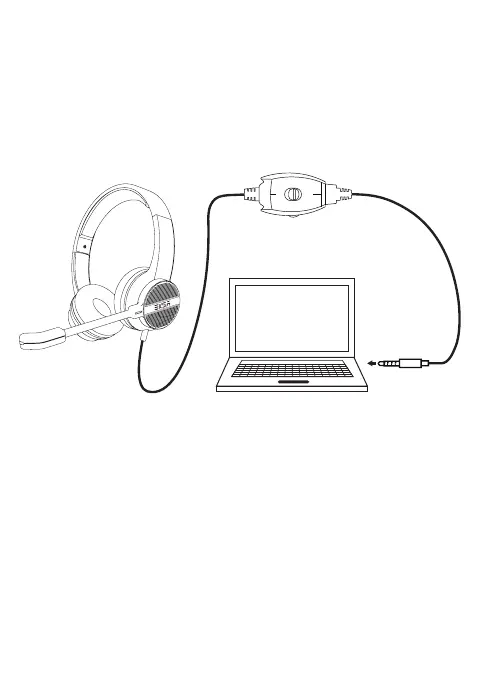
1.Plug directly the 3.5mm jack into the computer's 3.5mm jack
port, the headset can use automatically, plug in and play, no
driver installation needed.
2. Check the audio setting, ensure the PC online calls speaker
and microphone have been set to EKSA H12 telecom headset
for hands-free communication.
◎PC audio settings of Windows 7 and Windows 8
Switch to"control panel"--〉 "sound"--〉"play", and set the item
to default communication device.
◎PC audio settings of Windows XP
Switch to "control panel" ->sound and audio device, select
"audio setting" then select "sound play", and set to EKSA H12
telecom headset for hands-free communication.
3. Can make a call or voice chat by network app.
Operating Instruction
▲ Connect Computer



 To Next Page