3
Button Function
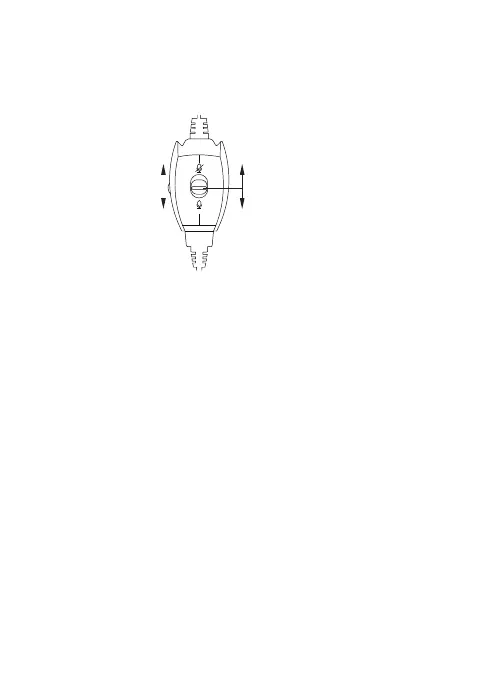
▲ Volume Control
Volume up and down: simply adjust the scroll wheel up and
down to increase or decrease the volume.
▲ Speaker mute
Push and Slide the button switch up to the mute mark on
wired remote shutter, you can use the mute function.
▲Adjust the mircophone
Bend the microphone tube, then make the tube aim at your
mouth to gain best voice clarity.
Volume“+”
Volume“-”
Mute
Unmute



 To Next Page