EasyManua.ls Logo

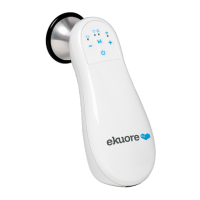
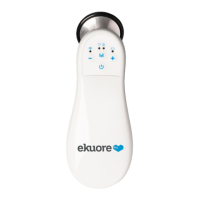
eKuore Pro Series - User Manual

eKuore Pro Series
128 pages
Go to English
Print Icon
To Next Page IconTo Next Page
Loading...
Manual de usuario
User manual

Table of Contents

Questions and Answers

  • J
    Joshua EverettJul 28, 2025
    Why is the blue LED constantly flashing on my eKuore Pro Medical Equipment?
    • T
      Timothy ChenJul 28, 2025
      If the blue LED on your eKuore Medical Equipment is constantly flashing, it means the device is trying to connect to a network. First, ensure that WiFi is enabled on your mobile or tablet. If that doesn't work, consult the Mobile App tutorial for further assistance.
  • O
    Olivia KingAug 3, 2025
    What to do if the speakers on my eKuore Pro Medical Equipment sound distorted?
    • T
      Taylor CrawfordAug 3, 2025
      If you are experiencing distorted sound from the speakers of your eKuore Medical Equipment, it could be due to the speaker volume being set too high, or being too close to the speakers. Refer to the instruction manual for guidance on how to properly handle the eKuore Pro® Series with speakers to resolve this issue.
  • D
    David MclaughlinAug 9, 2025
    How to select the appropriate filter on eKuore Pro Medical Equipment to clearly hear lungs/heart?
    • K
      kayla67Aug 9, 2025
      If you're finding it difficult to clearly hear lung or heart sounds with your eKuore Medical Equipment, the issue might be that you haven't selected the correct filter. Please refer to the instructions to learn how to choose the filter that's most appropriate for the type of sound you want to auscultate.
  • A
    Alexandra WrightAug 15, 2025
    What to do if my eKuore Pro Medical Equipment shows abnormal results?
    • P
      Paul PopeAug 15, 2025
      If your eKuore Medical Equipment is giving abnormal results, it might be due to incorrect positioning of the device, especially if the signs are vague. Make sure to carefully follow the measurement instructions provided to ensure accurate readings.
  • J
    Julie MartinezAug 21, 2025
    Why does my eKuore Pro Medical Equipment not turn on?
    • H
      Heather Wheeler MDAug 22, 2025
      If your eKuore Medical Equipment isn't turning on, it could be due to prolonged battery usage. Connect the equipment to the power network. If the problem continues after 10 hours, contact technical support.

Summary

Introduction to eKuore Pro Series

Symbology and Safety Instructions

Patient Privacy Guidelines

Discusses how patient data is protected by laws and user responsibility.

Package Contents

Device Configuration

First Steps for Setup

Provides initial steps for device setup, including charging and connecting accessories.

Operation Without Smartphone

Instructions for operating the device without connecting to a smartphone.

Sound Adjustment

Details on how to adjust sound volume for earbuds and speakers.

App Usage and Download

Instructions for downloading and using the eKuore Pro mobile application.

APP Usage Instructions

Instructions for connecting and using the eKuore Pro mobile application with the device.

Making a Recording

Explains the process of making audio recordings using the eKuore Pro Series device and app.

Maintenance and Warranty

Environmental Conditions for Use

Specifies optimal environmental conditions for storage and operation to maintain device performance.

Cleaning Procedures

Provides detailed instructions on how to properly clean the eKuore Pro Series stethoscope.

Replacing Membrane and Ring

Step-by-step guide for replacing the stethoscope's membrane and ring.

Technical Service and Repairs

Information on how to contact technical support and obtain repair services for the device.

Replaceable System Parts

Lists the available replaceable parts and accessories for the eKuore Pro Series.

Support and Warranty Information

Outlines support channels, contact information, and warranty details for the eKuore Pro Series.

Troubleshooting Guide

Offers solutions to common problems encountered while using the eKuore Pro Series device.

EMC Compliance and Electrical Safety

Electromagnetic Aspects

Covers electromagnetic compatibility, emissions, and immunity standards for the device.

Device Usage and Power Supply

Guidelines for safe device use, including power supply and operational recommendations.

Technical Specifications

eKuore Pro Series Specifications

General IconGeneral
TypeElectronic Stethoscope
ModeleKuore Pro Series
CompatibilityiOS, Android, PC
RecordingYes
Weight150g
ConnectivityBluetooth
Auscultation ModesBell, Diaphragm, Extended
Battery LifeUp to 8 hours
Chest Piece MaterialStainless Steel
Frequency Response20Hz - 2kHz

Related product manuals