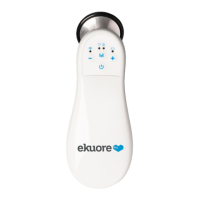
Need help?
Do you have a question about the eKuore Pro and is the answer not in the manual?
Force a hard reset by long-pressing the power button until all LEDs are off. Configuration settings remain unchanged.
Press both volume buttons simultaneously for 5 seconds. This erases WLAN configuration settings.
Used for initial setup or after a factory reset to configure WLAN settings and collect device information.
Device is connected to WLAN and ready to be managed and send data to the host system.
Verification process ensuring data transfer between the device and software via regular calls.
A simple SwiftUI interface project to test the eKuore Pro For Telemedicine SDK iOS framework's features.
Requires Swift 5 installed and an eKuore Pro For Telemedicine device.
Provides instructions on how to navigate and utilize the demo application's interface.
Describes the application's list view, including Discover, Connect to AP, and device connection options.
Details the main view's Information/Interaction Panel (Details, Remote Control, WLAN Config) and Log Panel.
Ensures system is connected to the device's WiFi hotspot for configuration mode.
Context menu for connected devices allows disconnect, reconnect, or removal from the list.
Form view to connect to a known device by specifying its IP address and port.
Connect to a discovered device directly from the list via its IP and port.
Displays device information and actions available for the selected device.
Shows comprehensive information and actions for the selected device.
Allows controlling device functions like volume, LED status, filter, and starting/stopping streaming.
Interface for configuring the device's WLAN network, security, and ports.
Set network parameters including security type, SSID, password, and ports for device connection.
Displays application logs, providing insight into device interactions and status changes.
Addresses common connection issues related to WLAN password and required ports.
Records the release history of the project, starting with the initial release.
 General
| Type | Electronic Stethoscope |
|---|---|
| Connectivity | Bluetooth |
| Recording | Yes |
| Battery Life | 8 hours |
| Frequency Range | 20-2000 Hz |
| App Support | iOS and Android |

 To Next Page