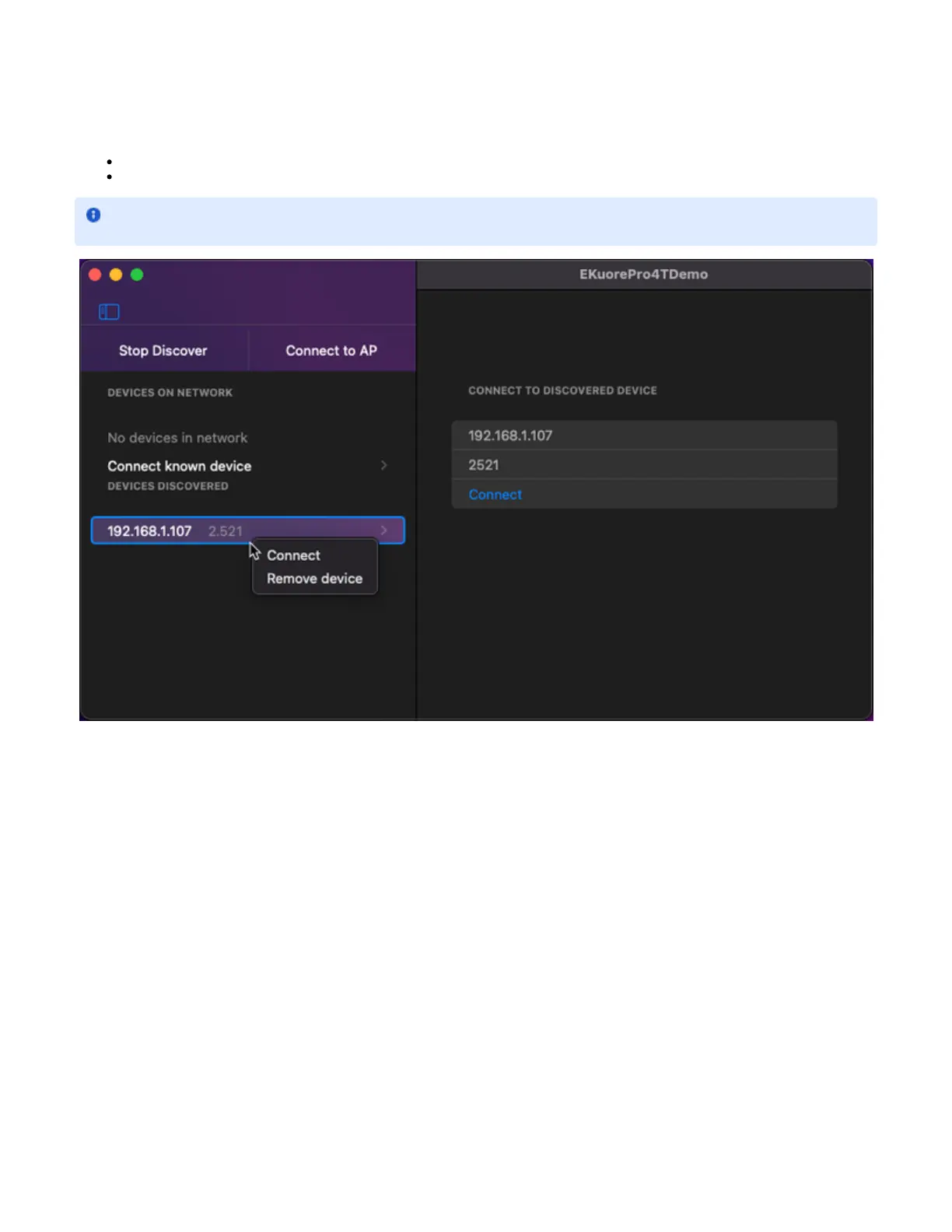
A selectable list of the devices discovered.
On selecting a device in the list, you will see the discovered device form, where you can connect to the selected device.
Has a context menu that allows:
Connect a device directly.
Remove discovered device from the list.
2. Main View
2.a Information / Interaction Panel
This panel shows all needed information and actions that the integrator can perform to the device selected.
2.a.i Details view
When you connect a discovered device, that device will be removed from the de discovered list and will add to the list of the device on
the network.


 To Next Page