If this is the first time that the device is turned on, or if a (pressing the volume buttons and together for 5 seconds) has been Factory-reset
performed on the device the last time it was used, it will not have any connection configuration stored (device network light will be ).orange
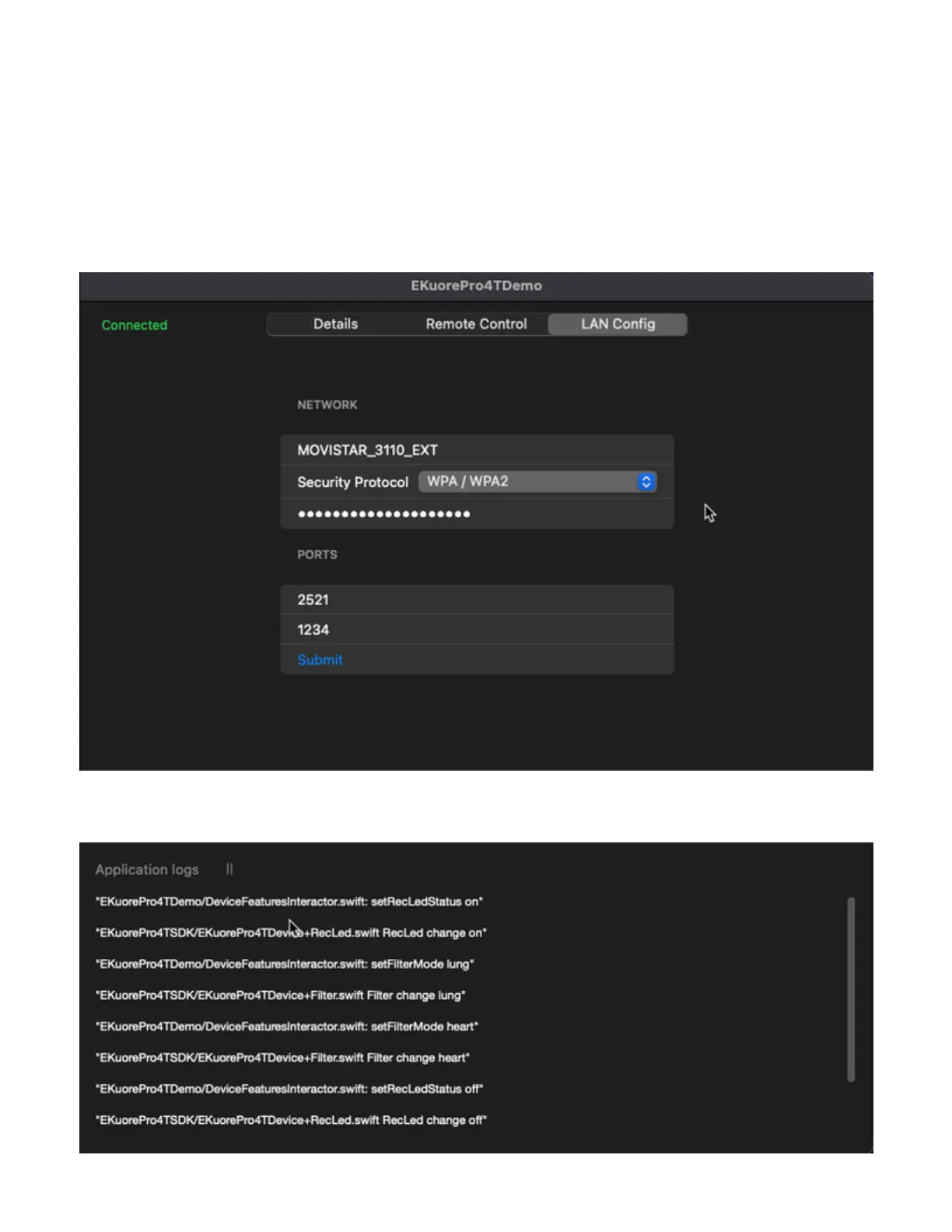
To configure the connection and set it ready to stream audio through the WLAN, the integrator must set into the device’s memory the parameters
of the network, including the (open, WEP, WPA/WPA2), the name of the (the access point of the router in your current security type SSID
WLAN), the (make sure is the right one) to access the network, and the management and audio streaming ports.password
To do so, the host system must be connected as a client to the eKP4T device, which will be available as a public access point while this
configuration step, like a standard router.
These parameters must be typed on the text fields in the configuration section. When the fields are written, click the button.Submit
The default ports used for control messages and audio streaming are 2521 and 1234 respectively. We suggest you set these since they are the
default used by the device, but they can be modified if needed.
2.b Log panel
All the information will be visible on this panel as a log message.



 To Next Page