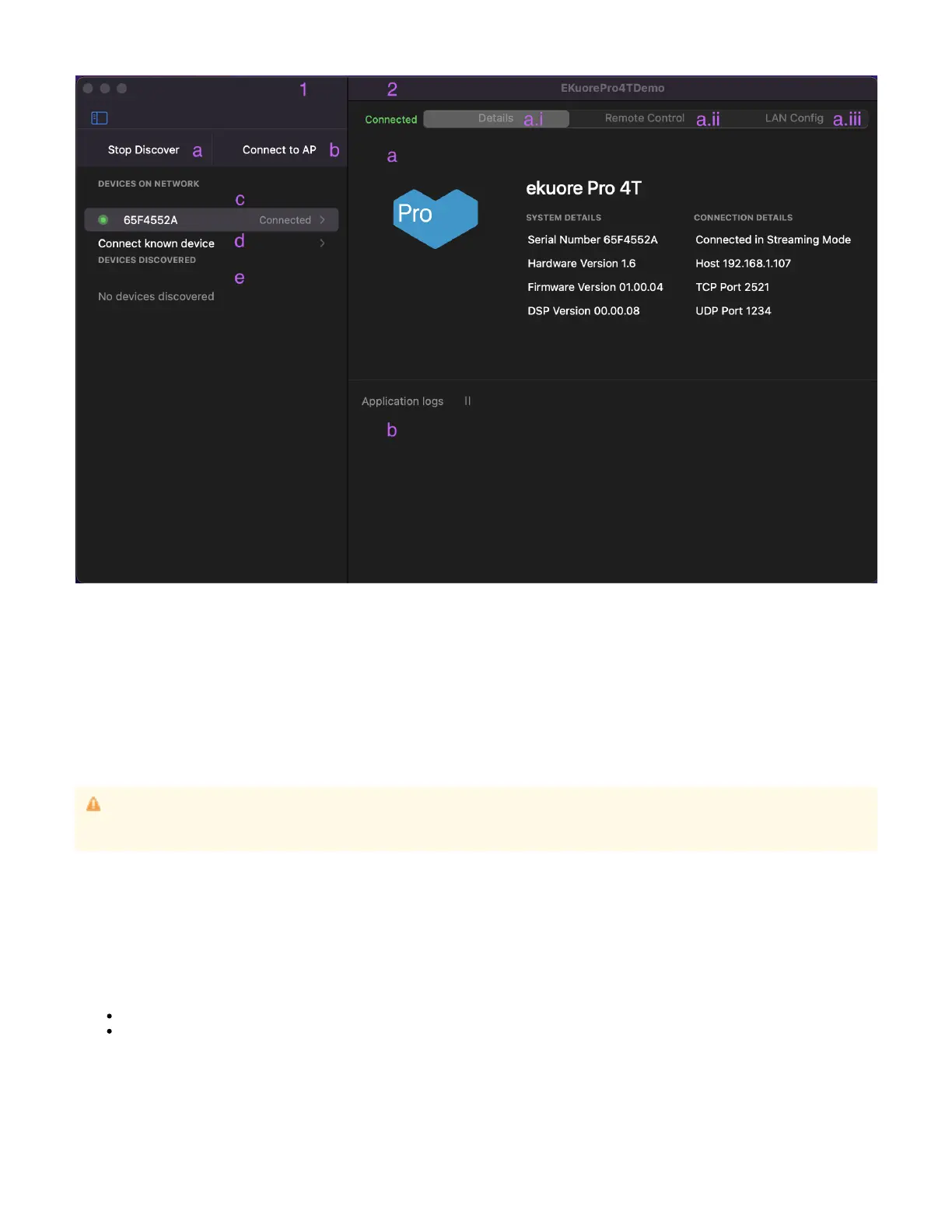
1.
a.
b.
c.
d.
e.
2.
a.
i.
ii.
iii.
b.
List View
Discover
Connect to eKP4T in Configuration Mode
List of the devices connected to the application
Connect known device
List of the discovered devices
Main View
Information / Interaction Panel
Details view
Remote Control view
WLAN Config view
Log Panel
1. List View
The menu of the application.
1.a Discover
The action to start to discover eKP4T devices in the network. This button has 2 different states:
Start discover: On press, the application starts to discover the devices in the network and change its label to the next state.
Stop Discover: On press, the application stops to discover devices in the network.
When a device is discovered, it shows in the discovered list.
1.b Connect to eKP4T in Configuration Mode
The action to connect to device in .eKP4T Configuration mode
Make sure that the system in which the is running, is not connected to any network via cable (ethernet) when trying to: eKP4T Demo
configure, connect, stream or work with the device.
This will override any other wireless connections.



 To Next Page