EasyManua.ls Logo

ekwb EK-Supremacy MX AMD Series - User Manual

Default Icon
2 pages
Print Icon
To Next Page IconTo Next Page
Loading...
All disclosures, notices and warranty conditions are being written on EKWB website. Revision 1.0. Released on 10
th
of February 2015.
EK-Supremacy MX AMD series CPU water block installation manual
This product is intended for installation only by expert users. Please consult with a qualified technician for installation. Improper installation may result in damage to your equipment. EK Water Blocks assumes no liability
whatsoever, expressed or implied, for the use of these products, nor their installation. The following instructions are subject to change without notice. Please visit our web site at www.ekwb.com for updates. Before
installation of this product please read important notice, disclosure and warranty conditions printed on the back of the box.
Before you start using this product please follow these basic guidelines:
1. Please carefully read the manual before through before beginning with the installation process!
2. Please remove your motherboard from the computer to assure safest mounting process in order to prevent any possible damages to your CPU and/or motherboard’s circuit board (PCB).
3. The EK-HFB, EK-HDC and EK-ACF type fittings require only a small amount of force to screw them firmly in place as the liquid seal is ensured by the rubber o-ring gaskets.
4. The use of corrosion inhibiting coolants is always recommended for any liquid cooling system.
STEP 1: GENERAL INFORMATION ON PRODUCT
COMPATIBILITY
STEP 2: TABLE OF CONTENT
Congratulations on your purchase of EK-Supremacy MX AMD CPU water
block. This water block is pre-assembled for use with modern AMD
desktop socket type motherboards. By default this water block supports
the following CPU sockets:
- AMD socket AM2(+)/AM3(+) and FM1/FM2(+)
Additional support (requires moving screws to alternative mounting position):
o AMD socket C32
o AMD socket S754/939/940/F
The following items are enclosed with each EK-Supremacy MX water block:
- EK-Supremacy MX AMD universal CPU water block /w pre-installed Insert I2 and Jet J1
(0.25mm)
(all around great performer)
o Pre-installed mounting mechanism
- EK-TIM Ectotherm 1g thermal grease
Note: To disassemble pre-installed mounting mechanism please release the circlip
under each mounting screw.
STEP 3 (optional): POSSIBLE UPGRADE PATH TO EVO STANDARD
EK-Supremacy MX uses the same Insert and Jet plate system as EK-Supremacy EVO,
however the additional parts must be purchased separately. EK-Supremacy MX can
also be upgrade to full EK-Supremacy EVO standard with the following parts:
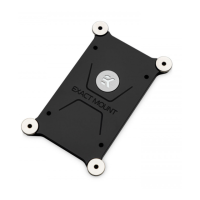
- EK-Supremacy (EVO) Backplate
- EK-Supremacy EVO
PreciseMount
mounting mechanism
- EK-Supremacy EVO parts
o Insert I1
o Jet J2
o Jet J3
o Copper cold plate (base)
o Intel Mounting Plate
These parts can be purchased through EK Webshop or Partner Reseller Network:
STEP 4 (optional): INSTALLING ALTERNATIVE MOUNTING PLATE AND REPLACING JET PLATE / INSERT PROCEDURE
1) Place water block on an even surface and remove four M4x16 DIN7991 screws attaching the top to the copper base using the 2.5mm Allen key (not
enclosed).
2) Replacing mounting plate:
2.1) Replace the AMD mounting plate with alternative one. You will feel the mounting plate locking into the position when placed correctly on to the top.
2.2) Reseat the larger o-ring gasket (57x2 mm) into the gap between the mounting plate and water block top.
3) Replacing jet plate (OPTIONAL):
3.1) Remove the default Jet J1 (0.25mm thick) and replace it with Jet J2 (0.3mm) or Jet J3 (0.1mm), depending on your CPU platform. You will feel the jet plate
locking into the position when placed correctly to the water block Insert.
4) Replacing insert (OPTIONAL):
4.1) Remove the default Insert I2 and replace it with Insert I1, depending on your CPU platform. It is mandatory to install the Insert Pin and Insert in correct
way, there is only one way to install it. You will feel the Insert assembly locking into the position when placed correctly to the water block.
5) Carefully place copper base to waterblock top assembly, make sure gaskets stay in place! Beware of copper base orientation!
6) Repeat step #5 if necassery. Screw in all four (4) M4x16 DIN7991 screws using the 2.5mm Allen (hex) key.

Insert
Insert Pin
Jet plate
Water block top
Gaskets
Jet plate
Mounting plate
Copper base
Screws
Insert
Insert Pin
Question and Answer IconNeed help?

Do you have a question about the ekwb EK-Supremacy MX AMD Series and is the answer not in the manual?

Summary

General Product Information and Compatibility

Optional Upgrade Path to EVO Standard

Installing Alternative Mounting and Replacing Parts

Installing the Water Block on AMD Socket

CPU Preparation and Thermal Grease Application

Connecting Water Block to Cooling Loop

Overview

The EK-Supremacy MX AMD is a CPU water block designed for liquid cooling systems, intended for installation by expert users. It is pre-assembled for use with modern AMD desktop socket type motherboards and supports a range of CPU sockets.

Function Description:

The primary function of the EK-Supremacy MX AMD water block is to efficiently cool the CPU by transferring heat from the CPU's integrated heat spreader (IHS) to a liquid coolant circulating through the water block. This process helps maintain optimal CPU operating temperatures, which is crucial for system stability and performance, especially in overclocked systems. The water block is part of a larger liquid cooling loop, where the heated coolant is then circulated to a radiator to dissipate the heat into the ambient air before returning to the water block.

Important Technical Specifications:

  • Compatibility:
    • Default Support: AMD socket AM2(+)/AM3(+) and FM1/FM2(+)
    • Additional Support (with alternative mounting position): AMD socket C32, AMD socket S754/939/940/F
  • Mounting Mechanism: Pre-installed mounting mechanism. To disassemble, the circlip under each mounting screw must be released.
  • Thermal Grease: Includes EK-TIM Ectotherm 1g thermal grease.
  • Fittings: Utilizes G1/4 ports for connecting to the cooling loop. The port nearest to the center of the water block MUST BE USED AS THE INLET PORT. EK recommends the use of EK-ACF Fittings.
  • Internal Components: Features an Insert and Jet plate system, similar to the EK-Supremacy EVO series.
    • Default Configuration: Pre-installed Insert 12 and Jet J1 (0.25mm thick).
    • Optional Jet Plates: Jet J2 (0.3mm) or Jet J3 (0.1mm) for different CPU platforms.
    • Optional Inserts: Insert 11 for different CPU platforms.
  • Construction: The water block consists of a water block top, mounting plate, copper base, and gaskets. It is assembled using M4x16 DIN7991 screws.
  • Upgrade Path: The EK-Supremacy MX can be upgraded to the full EK-Supremacy EVO standard with separately purchased parts, including:
    • EK-Supremacy (EVO) Backplate
    • EK-Supremacy EVO PreciseMount mounting mechanism
    • EK-Supremacy EVO parts (Insert 11, Jet J2, Jet J3, Copper cold plate (base), Intel Mounting Plate).

Usage Features:

  • Installation Process:
    1. Preparation: Remove the motherboard from the computer. Remove the original plastic hold-down clamps from the AMD socket using a Philips-head screwdriver, but keep the original AMD backplate in place.
    2. CPU Cleaning: Wipe the CPU's contact surface with a non-abrasive cloth or Q-tip.
    3. Thermal Grease Application: Apply EK-TIM Ectotherm™ thermal compound to the CPU heatspreader (IHS) using the blob or line method. The recommended quantity is about two rice grains; it is not necessary to cover the entire IHS.
    4. Water Block Mounting: Align the water block's pre-installed mounting mechanism with the AMD socket motherboard and the original AMD backplate.
    5. Securing: Tighten the screws with thumbs until the end of the thread, using a cross-pattern. Do not use any tools (such as pliers) during this step to avoid overtightening.
  • Coolant Recommendations: The use of corrosion inhibiting coolants is always recommended for any liquid cooling system to prevent damage and maintain system longevity. Biocide-containing coolants are also recommended.
  • Flow Direction: It is critical to identify the correct flow direction. The G1/4 port nearest to the center of the water block MUST BE USED AS THE INLET PORT.
  • Fittings: When using fittings other than EK-ACF series, hose clamps or appropriate substitutes should be used to secure the tubing to the barb.

Maintenance Features:

  • Component Replacement/Upgrade: The water block allows for replacement of internal components like the mounting plate, jet plate, and insert, enabling customization and upgrades.
    • Mounting Plate Replacement: Remove the four M4x16 DIN7991 screws, replace the AMD mounting plate with an alternative one, ensuring it locks into position, and reseat the larger o-ring gasket.
    • Jet Plate Replacement: Remove the default Jet J1 and replace it with Jet J2 or Jet J3, depending on the CPU platform. The jet plate should lock into position within the water block Insert.
    • Insert Replacement: Remove the default Insert 12 and replace it with Insert 11, ensuring the Insert Pin and Insert are installed correctly and lock into position.
    • Reassembly: Carefully place the copper base onto the water block top assembly, ensuring gaskets remain in place. Beware of copper base orientation! Secure with the four M4x16 DIN7991 screws using a 2.5mm Allen (hex) key.
  • Cleaning: The manual emphasizes cleaning the CPU's contact surface before applying thermal grease, which is a standard maintenance practice for optimal thermal transfer.
  • Regular Coolant Checks: While not explicitly detailed as a maintenance feature for the water block itself, the recommendation for corrosion inhibiting and biocide-containing coolants implies the importance of maintaining coolant quality for the overall health of the liquid cooling system, which indirectly benefits the water block.

ekwb EK-Supremacy MX AMD Series Specifications

General IconGeneral
Brandekwb
ModelEK-Supremacy MX AMD Series
CategoryComputer Hardware
LanguageEnglish

Related product manuals