11 of 13
COMMON MISTAKES:
1. No Wi-Fi Connectivity. See Wi-Fi connections above.
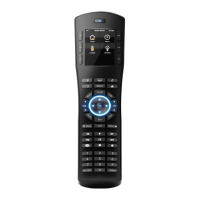
2. Incorrect Wi-Fi configuration. If you enter the wireless access point information incorrectly you
will get an error message when configuring the radio. If you see an error message, verify all the
Wi-Fi settings and repeat the remote configuration.
3. HR2 On Screen Error messages:
a. System Controller not found – The remote has a Wi-Fi connection to the network but is
not connecting to the system controller. Verify the WAP is on the same network as the
system controller and the system controller is powered on and connected to the network
at the “Controller IP” address designated the HR2 Configuration steps above.
b. Wireless Network not found – The remote does not have connection to the wireless
network.
i. Verify the wireless access point is powered on and within range of the remote.
ii. Check for other devices that may be interfering with the wireless network.
iii. Re-connect the HR2 to the configurator and verify all Wi-Fi and network settings.
iv. Confirm the HR2 IP is not conflicting with another network device.
4. Incorrect universal function mapping for source control. Verify your button mapping on your
source device page.
5. Actiontec routers – there have been a few reports of issues with the HR2 remotes
communicating within an Actiontec served network. If you are using an Actiontec router and are
seeing problems with HR2 communications then you will need to add the ELAN D-Link router
behind the Actiontec router to resolve the problem. This D-Link will then become the home router
and the Actiontec will only serve its clients and the D-Link WAN port. This requires that the
Actiontec ports are forwarded to the D-Link WAN port for proper remote access to the system.
Refer to the 2 Router Install tech note for details on configuring embedded routers.
6. Spectralink Series 3640 WiFi Phone System interference: Spectralink and the Hand-Held
remote both default to port 2000. If attempting to use the Hand-Held Remote and see issues
such as: HHR dropping off the network repeatedly; HHR Locking up/Freezing when the phone
rings; AND HHR rapidly depleting its battery; resolve the port conflict.


 To Next Page
 Loading...