7 of 13
USING THE HR2 IR BLASTER
The HR2 can be used to flash IR out of its front IR blaster for local control of video displays when it is
not possible to run an IR emitter or other control method to the display. Configuring the remote for
local IR control is done in a similar fashion to any IR control in g!. The only exception is to select the
HR2 IR Sender as the default sender on the IR device. See the training guide or online help for more
details.
1. On the input/output tab of configurator add the IR device for the video display
2. Import or learn the discrete IR power codes (cycling power codes are not recommended)
3. Select the HR2 IR Sender as the Default Sender for the IR display.
4. On the media tab configure the video display and map the power commands.
5. Select this video display in the desired zone and set the power states in the Auxiliary Source
Function matrix.
6. Test the commands by aiming the remote at the displays IR receiver and turning the zone on
and off. NOTE: the Test Commands function in the Configurator will not send IR to the HR2
remote.
Notes on HR2 IR Blaster Operation:
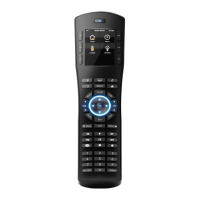
The HR2 has an IR Blaster at the top of the remote similar to any standard remote control. The HR2
differs in that it does not store any IR codes, it only transmits IR codes as sent to it by a HC-Series
Controller. The HR2 also differs from standard remote controls in that it is specifically designed to be a
multi-zone control point, and as such it has some unique behavior:
When selecting the IR Sender for HR2’s, by default there is only ONE HR2 Sender selection;
regardless of how many HR2’s may be in the installation.
When a HR2 requests an IR code, the HC controller determines what HR2 to send the code to,
based on the zone and the last HR2 to request a command.
It is not possible to configure the IR output of any HR2 as a discrete emitter, or to set a specific
HR2 to always send certain codes. All IR codes are routed to individual HR2’s only by the HC
using the last button press received routing method.
It is theoretically possible, though unlikely, that two HR2’s could both request an IR code to be
sent at the exact same time, causing a misdirected IR code.
Due to the nature of HR2’s being portable, and the possibility of a HR2 being placed in a position
where the IR Blaster cannot “see” devices they may control, the HR2 blaster is not recommended
for automating control of IR devices. For example, if the HR2 is in the cradle or held upright
pointing at the ceiling and a zone is activated where the TV is to be controlled by the HR2 blaster,
the display may fail to activate. It is always preferred for reliable function to control IR
devices with dedicated emitters or pursue other control options where available to avoid
potential issues with control from the HR2 blaster.
In the 5.2 release of software, the only supported use case of the IR blaster on the HR2 is to
control a display where there is no other control option (serial, running an emitter etc). Controlling
other devices or sources with the HR2 IR Blaster is not recommended or supported.


 To Next Page
 Loading...