47
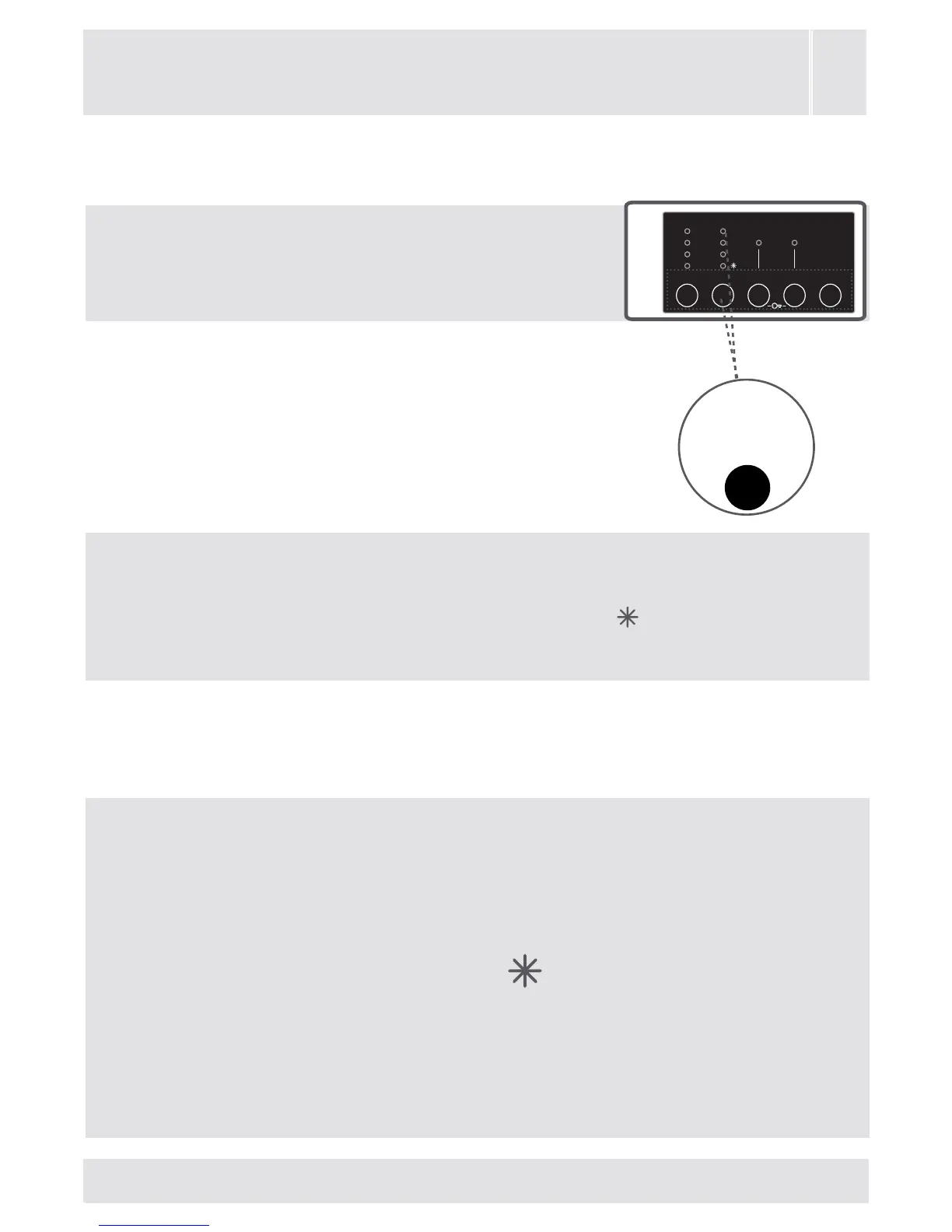
2- Temperature selection
Youcanselectthewashingwater
temperaturewiththewashingwater
temperatureadjustmentbutton.
Whenyouselectanewprogramme,there
won’tbeanydisplayonthetemperature
adjustmentledsonthedisplaypanel.
Whenyoupressthetemperature
adjustmentbutton,themax.
temperaturevalueoftheprogramme
youhaveselectedshallappearonthe
leddisplaypanel.
Youcangraduallydecreasethewashingwatertempera-
turebetweenthemaximumwashingwatertemperatureof
theselectedprogrammeandcoldwashing
selectionsby
pressingtemperatureadjustmentbutton.
Ifyouhavemissedthewashingwatertemperatureyou
wanted,youcanreturntotheintendedtemperaturebycon-
tinuouslypressingthewashingwatertemperatureadjust-
mentbutton.
NOTE: When 90° programme is selected,
the max. temperature value of the selected
programme is not displayed on the display
panel. When the temperature value is de-
creased to 60°, 40°, 30°, (cold washing)
temperature levels by pressing the tem-
perature adjustment button, the decreased
temperature value is displayed on the dis-
play panel.
CHAPTER-5: PRELIMINARY PREPARATION FOR
LAUNDERING AUXILIARY FUNCTIONS
3s
6s
9s
12s
60°
40°
30°
Auxiliary
function
button 2


 To Next Page