7
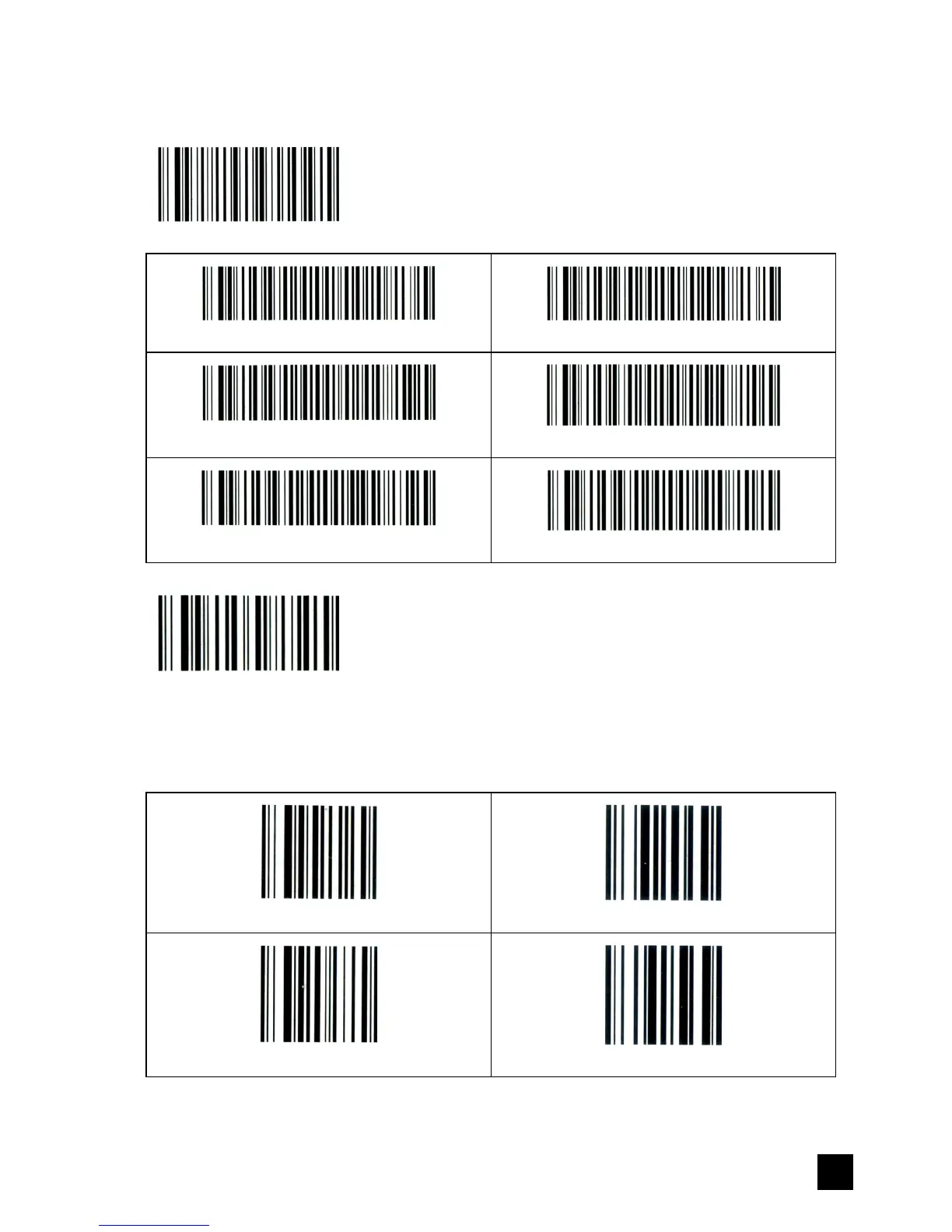
The above detecting time can be adjusted by scanning the following codes:
(default: 6 seconds)
Enter setting
Set detecting time 6 seconds
Set detecting time 5 seconds
Set detecting time 4 seconds
Set detecting time 3 seconds
Set detecting time 2 seconds
Set detecting time 1 seconds
Save & Exit
Appendix – 1
0-9, #, TEST 1234567890
0
1
2
3


 To Next Page