If Problems Occur
38
11 If Problems Occur
Service Hotline
Should problems arise with the telephone, please refer to the following in-
formation first. In the case of claims under the terms of guarantee, contact
your sales outlet.
Problems Reply
No telephone calls possible − The telephone line is not connec-
ted properly or is defective. Only
use the telephone connection ca-
ble supplied.
− The power adaptor plug is not
plugged in or there is a complete
power failure.
Some functions eg +40 dB am-
plifier or handsfree not working
− Check the batteries are fitted and
they are not exhausted.
The caller number display
(CLIP
1
) does not function
− The caller number display func-
tion is an optional service offered
by telephone network providers.
Contact your network provider for
further information.
− The caller has suppressed the
transmission of their phone num-
ber.
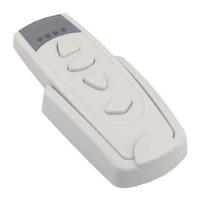
The LED on the wristband trans-
mitter flashes or does not light
up
− Change the battery
Telephone does not respond to
wristband transmitter
− Check the battery
− Programme the wristband trans-
mitter in the telephone again
1
CLIP: Calling Line Identification Presentation


 To Next Page