The Elecbrakes EB2 is an electric brake controller designed to manage the braking force on trailers, ensuring proportional braking based on the tow vehicle's brake application. It offers advanced features for seamless device pairing, diagnostics, and troubleshooting, all accessible via a smartphone app or an optional remote control.
Function Description:
The primary function of the Elecbrakes EB2 is to control the braking force applied to a trailer's brakes. It achieves this through proportional braking, meaning the braking output varies depending on how hard the tow vehicle's brakes are applied. This ensures smooth and synchronized braking between the tow vehicle and the trailer. The EB2 unit is activated by the brake light voltage from the tow vehicle. It measures the braking force and applies it to the trailer at a proportional rate determined by the brake controller's settings.
Beyond automatic proportional braking, the EB2 allows users to adjust braking sensitivity and apply a manual override. The manual override function enables the user to engage the trailer brakes independently of the tow vehicle's brakes, which can be particularly useful for mitigating trailer sway. The device supports both electric and electric-over-hydraulic braking systems, making it versatile for various trailer types.
Important Technical Specifications:
- Power Source: The EB2 requires a constant power source to operate. It is activated by the tail light circuit of the tow vehicle. Users are advised to turn on their vehicle's headlights to ensure the tail light circuit is active and providing power to the EB2. Note that "auto" settings in some vehicles may not activate the tail light circuit.
- Smartphone Compatibility: The Elecbrakes app, which is essential for device pairing, configuration, and diagnostics, requires specific operating system versions:
- Apple iOS 15 or later
- Android 10 or later
- Connectivity: The device utilizes NFC (Near Field Communication) for "Tap + Tow" pairing, allowing for quick and seamless connection with compatible smartphones. For optimal connectivity, the unit should be mounted in a location that avoids large metal objects blocking the line of sight to the tow vehicle (e.g., not behind a tool box).
- Mounting Orientation: The unit must be mounted with one of its sides or faces parallel to the ground. Examples of suitable mounting locations include the side, under, or top of the draw bar. Mounting the unit on an incline should be avoided.
- Cable Reach: When selecting a mounting point, it's crucial to ensure that the ElecConnect adaptor cable can reach the unit's location before drilling mounting holes.
Usage Features:
- Plug + Play Installation: The EB2 is designed for straightforward installation. It involves fastening the unit to the draw bar, connecting the unit and adaptor via the ElecConnect leader, and then plugging the adaptor into both the trailer plug and the tow vehicle's socket.
- Tap + Tow Pairing: This feature simplifies the pairing process. Users can tap their NFC-enabled smartphone to the Elecbrakes logo on the controller to download the app and then tap again to pair the unit. Manual pairing is also an option if NFC is not enabled or preferred.
- Connection Check: After installation and pairing, users can verify the connection by starting their vehicle, turning on headlights, navigating to the app's home page, and pressing the brake pedal. A red circle displayed in the app indicates a correct and working connection.
- Forward Direction Calibration: For first-time use, the EB2 requires calibration of its forward direction. This involves driving forward to 40km/h and applying the brakes firmly to a full stop. The app will then display the calibrated angle (between 0° and 360°).
- Adjustable Brake Response Settings: The EB2 comes with default brake settings that can be customized to suit specific towing setups and preferences. Users can adjust three key response settings via the app:
- Minimum Response: Configured by driving slowly (approx. 20km/h) and applying brakes lightly. The optimal setting allows the user to just barely feel the trailer braking.
- Forward Response: Set by driving at 40-50km/h and braking firmly. The ideal setting ensures the tow vehicle and trailer brake as one.
- Reverse Response: Adjusted by reversing slowly and applying the brakes. The optimal setting ensures synchronized braking during reverse maneuvers.
- Manual Override: This feature allows users to manually engage the trailer brakes without activating the tow vehicle's brakes. The "When Tapped" value in the app controls the manual override brake response. It can be activated by tapping a blue tick on the app's home page and adjusted by holding a red circle to increase braking force. Tapping the red circle again deactivates it.
- Program Management: The EB2 supports up to five user-defined programs, which are useful for different towing scenarios (e.g., varying trailer weights, different environments, or individual preferences). Users can rename programs, adjust brake responses within each program, and easily switch between customized programs via the app.
- Optional Remote Control: For users who prefer not to use a mobile app, an optional remote control is available (sold separately). A separate Remote User Manual provides instructions for its use.
Maintenance Features:
- The manual does not explicitly detail maintenance features. However, the "Tap + Tow" technology provides access to unit diagnostics and advanced troubleshooting capabilities through the smartphone app, which can assist in identifying and resolving potential issues.
- Regular checks of the connection status via the app (as described in the "Connection Check" section) can help ensure the unit is functioning correctly.
- Ensuring proper mounting and cable connections during installation contributes to the longevity and reliable operation of the device.

 Need help?
 General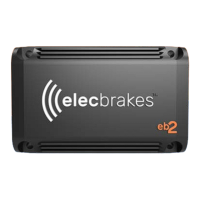

 To Next Page