ELECRAFT 51
Controls and Display
LCD
The 3-digit LCD (liquid crystal display) shows the operating
frequency or relative signal strength (S-meter) on receive, power
output on transmit, menu parameters, and status information.
Decimal Point: The decimal point is flashed when RIT or XIT is
enabled. This acts as a reminder that RIT or XIT is on.
Error Messages: If a problem is detected on power-up or during
normal operation, the display may show E 4 2 or a similar message.
If this happens, see Troubleshooting.
LEDs
RIT/XIT (dual-color): RIT (green) or XIT (orange)
ATTN: Attenuator (yellow)
Note: The LEDs can be disabled using the L E D menu entry. This
can save up to about 20 mA of receive-mode current drain.
VFO
The VFO covers about 80 or 150 kHz of each CW band, as selected
during assembly. The approximate lower band edges in MHz are:
3.50, 7.00, 10.00 or 10.10, 14.00, 18.05, and 21.00.
Potentiometers
AF GAIN: Sets the receive audio output level. It also affects the
sidetone volume, in conjunction with the STL menu entry. Note:
The gain setting for headphones will be lower than for the speaker.
OFFSET: Adjusts the offset when
R I T or X I T is turned on. The
range is about +/- 3 kHz. (The range is set by RF-C7.)
Switch Functions
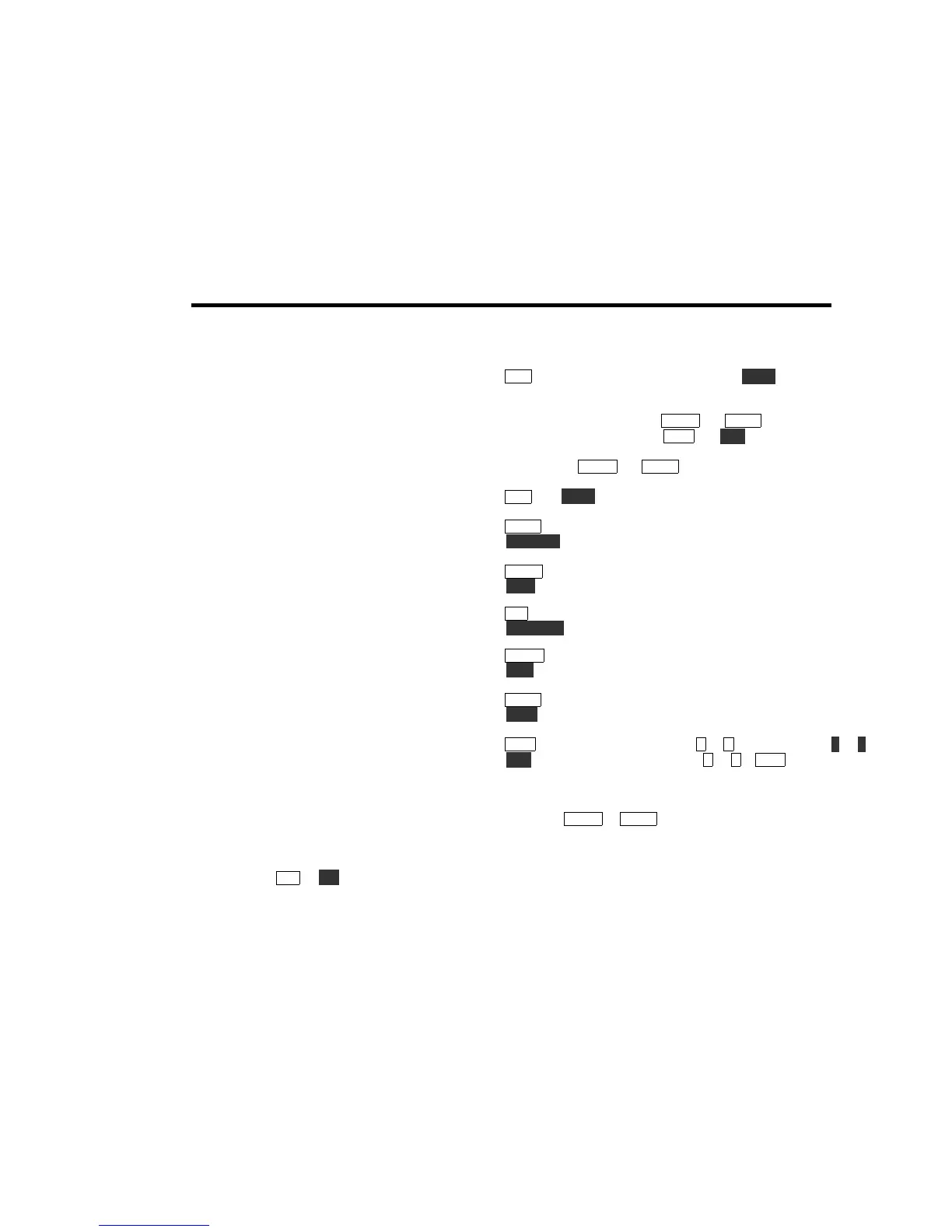
T A P a switch to access its upper function; H O L D a switch for 1/2
second to access its lower function. All functions are listed below.
The "1" and "2" labels near
W P M + and W P M - correspond to CW
message buffers 1 and 2 (see
M S G and R E C , below). The "T" label
near these switches is a reminder that TUNE mode is activated by
holding both
W P M + and W P M - simultaneously (see page 54).
T A P and H O L D Switch Functions
B A N D show present band/freq.; tap twice to change bands
D I S P L A Y select display mode (normal, S-meter, or battery)
M E N U enter the menu (see Menu)
E D I T edit current menu parameter
R I T turn RIT on or off
X I T [ P F n ] turn XIT on or off, or select P F n (see Menu)
W P M + increment keyer speed or menu parameter
X F I L select next crystal filter (FL1-3)
W P M - decrement keyer speed or menu parameter
A T T N attenuator on/off
M S G play CW message 1 or 2 (to repeat, hold 1 or 2 )
R E C record CW message 1 or 2 (M S G cancels record)
Fast-Tap
If you tap
W P M + or W P M - two or more times quickly, the keyer
speed will change by two WPM at a time. In the O U T menu entry,
fast-tapping will change the power in 0.5-watt steps.



 To Next Page