EasyManua.ls Logo

ELECRAFT KX3 - User Manual

ELECRAFT KX3
55 pages
Print Icon
To Next Page IconTo Next Page
Loading...
ELECRAFT
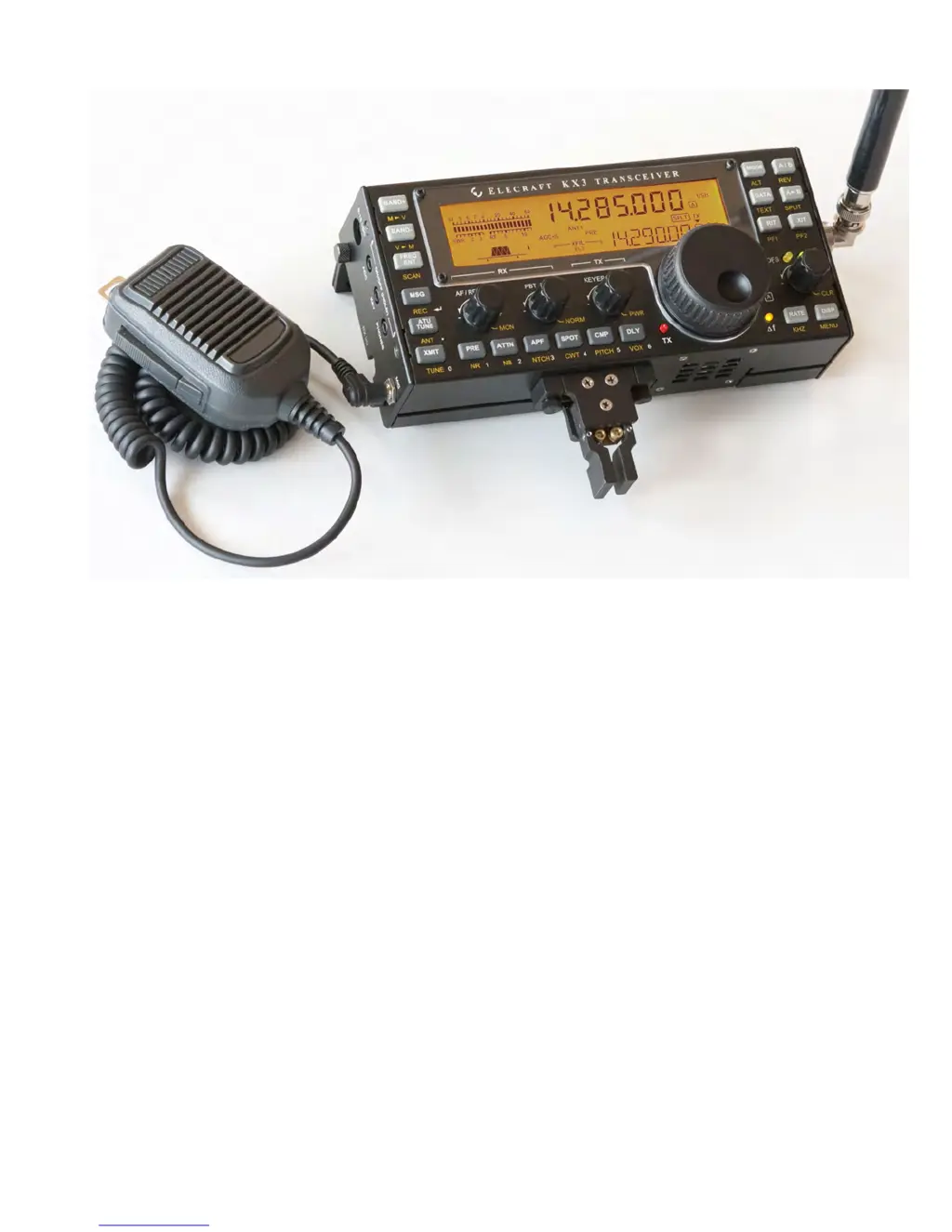
KX3
ULTRA-PORTABLE
160-6 METER, ALL-MODE TRANSCEIVER
OWNERS MANUAL
Revision B4, June 1, 2012
Copyright © 2012, Elecraft, Inc.
All Rights Reserved

Table of Contents

Other manuals for ELECRAFT KX3

Questions and Answers

  • B
    Benjamin MackAug 19, 2025
    How to troubleshoot firmware issues on my ELECRAFT Transceiver?
    • T
      tanyagonzalesAug 19, 2025
      If you are experiencing general issues with the firmware on your ELECRAFT Transceiver, here are a few things you can try: 1. Check all menu settings. You can access help text for each menu entry by holding MENU for about 3 seconds. 2. Try loading the latest microcontroller and DSP firmware. Review the release notes for changes that may be related to your symptoms. 3. If the above suggestions don’t help, you can try reinitializing the firmware. Be sure to save your configuration first, using KX3 Utility.
  • R
    Ryan McphersonAug 21, 2025
    What to do if there is no received signal on ELECRAFT Transceiver?
    • C
      Candice CobbAug 21, 2025
      If you are not receiving any signal on your ELECRAFT Transceiver, check the following: 1. Antenna connectors 2. Squelch (in FM mode) 3. RF gain (set it fully clockwise to –0 dB) 4. Bandwidth (adjust the PBT I/II control) 5. MENU:REF CAL parameter adjustment 6. KXFL3 menu entry setting (should not be set to NOR if the module is not installed).
  • L
    Laura CarlsonAug 23, 2025
    Why my ELECRAFT Transceiver won’t turn on?
    • D
      David JonesAug 23, 2025
      If your ELECRAFT Transceiver won’t turn on, check the power cable. If you are running from internal batteries, ensure they are installed correctly, seated properly, oriented in the right direction, and charged.
  • R
    Ruth HerreraAug 26, 2025
    Why is the power output low on my ELECRAFT Transceiver?
    • B
      brittany48Aug 26, 2025
      If you are experiencing low power output with your ELECRAFT Transceiver: 1. Make sure transmit is not inhibited (check the ACC2 IO menu entry). 2. Try redoing the automated Transmit Gain calibration procedure.
  • D
    David AndersonAug 27, 2025
    Why is the TX LED always on on my ELECRAFT KX3 Transceiver?
    • D
      Douglas LiuAug 27, 2025
      If the TX LED on your ELECRAFT Transceiver is always on, it could indicate that PTT is being held on by external equipment. Try disconnecting everything connected to the left side panel except the power supply. Also, the VOX gain (VOX GN menu entry) may be set too high, or check the ACC2 IO menu setting.
  • R
    Rachael HammondAug 29, 2025
    What to do if my ELECRAFT KX3 Transceiver won’t turn off?
    • C
      Catherine AllenAug 30, 2025
      If your ELECRAFT Transceiver won’t turn off, and the display remains on or the unit is unresponsive, disconnect the power supply. If internal batteries are in use, remove one battery. Wait 5-10 seconds, then reconnect the power and try turning the unit on.
  • J
    John ObrienAug 31, 2025
    Why is the received signal level too low on my ELECRAFT Transceiver?
    • J
      Jessica WebbSep 1, 2025
      If the received signal level is too low on your ELECRAFT Transceiver: 1. Check headphone and speaker plugs and cables. 2. Make sure that MENU:RX EQ settings are either flat or have not been set for a large amount of cut. 3. Verify that MENU:REF CAL is properly adjusted. 4. Make sure RF gain is set to maximum. 5. Check if the preamp is set to 10 dB rather than 20 dB (MENU:PREAMP).
  • G
    gonzalezjoshuaSep 2, 2025
    What does HI TEMP warning mean on ELECRAFT Transceiver?
    • C
      Cindy LeeSep 2, 2025
      If you receive a HI TEMP warning on your ELECRAFT Transceiver, use DISP to check the power supply voltage, current drain, and PA temperature. Allow the heat sink to cool, and reduce power if necessary.
  • R
    Ronald HansenSep 5, 2025
    What does HI CUR or HI SWR warning mean on ELECRAFT KX3?
    • G
      Grace WilsonSep 5, 2025
      If you receive a HI CUR or HI SWR warning on your ELECRAFT Transceiver, check the supply voltage. If the voltage is low or a low-impedance antenna load is present, the current can increase for a given requested power level. Reduce power if necessary.
  • E
    Elizabeth TaylorSep 6, 2025
    Why can’t I transmit in CW mode on my ELECRAFT KX3?
    • C
      Catherine PerkinsSep 7, 2025
      If you are unable to transmit in CW mode on your ELECRAFT Transceiver: 1. Make sure the key or keyer paddle is plugged into the correct jack. 2. To transmit immediately upon hitting the key, you must have VOX-CW enabled (hold VOX). If VOX is off (PTT-CW), you must tap XMIT before sending; otherwise, only a sidetone is generated. 3. You may be in SPLIT mode, with VFO B set for a voice or data mode. Tap A/B to check VFO B’s mode.

Summary

Installation and Setup

Important Safety Cautions

Advises on operating conditions, temperature limits, and electrostatic discharge (ESD) protection.

Power Supply Requirements

Details recommended power sources and connection for fixed and portable use.

CW Key and Keyer Paddle Connections

Explains CW keying inputs, including the KEY Jack and optional KXPD3 paddle.

Antenna Connections and Grounding

Grounding and ESD Protection

Explains grounding systems for reduced interference and ESD protection.

Control Panel Reference

Operating Mode and VFO Setup

Explains how to select operating modes and configure VFOs.

Transmit and ATU Control Functions

Details controls for transmitting and automatic antenna tuning.

Transmit Settings Controls

Details controls for transmitter functions like keyer speed, mic gain, and power.

Receive Settings Controls

Details controls for receiver functions like gain, filtering, and noise reduction.

Basic Operation Guide

Getting Started Essentials

Outlines minimum requirements before using the KX3 for the first time.

Powering the KX3 On and Off

Details the procedure for powering the transceiver on and off correctly.

Understanding Switch TAP and HOLD Functions

Explains the dual functionality of switches (tap vs. hold) for different actions.

Knob Functions for AF Gain and More

Describes the primary and secondary functions of the control knobs.

Navigating and Using the Menu System

Guides users on accessing and operating the KX3's comprehensive menu system.

Band Selection Procedures

Explains how to select amateur radio bands and lists band characteristics.

Mode Selection Guide

Describes how to select operating modes like SSB, CW, AM, FM, and DATA.

VFOs A and B Operation

Incremental Tuning (RIT and XIT)

Details RIT and XIT for fine-tuning receive/transmit frequencies.

Voice Modes (SSB, AM, FM)

Basic Voice-Mode Setup

Guides basic setup for voice modes, including power, mode, and mic gain.

Voice Mode VOX Setup

Explains setting up voice-operated transmit (VOX) for voice modes.

FM Operation and Repeater Setup

Details FM mode setup, including repeaters, PL tone, and squelch.

CW Mode Operation

Basic CW-Mode Setup Procedures

Covers CW mode selection, keying, sidetone, and break-in delay.

CWT, SPOT, and Auto-Spot for Tuning

Explains tuning aids for CW and data modes.

Advanced Operating Features

Frequency Memories Management

Details storing and recalling frequencies and settings in memories.

Scanning Modes and Setup

Explains how to use scanning to tune through frequencies.

Programmable Function Switches (PF1;PF2)

Details assigning functions to PF1 and PF2 switches.

Split Frequency Operation and XIT

Explains split frequency operation and using XIT.

Data Modes Operation

FSK D Mode (RTTY) Guide

Explains using FSK D mode for RTTY communication.

PSK D Mode (PSK31) Guide

Details PSK D mode for PSK31 communication.

Internal Batteries and Charging

Firmware Upgrades and Management

SDR Applications Integration

Remote Control of the KX3

Configuration Menu Options

Option Module Enables Configuration

Guides setting up installed option modules.

General Menu Settings Overview

Introduces tailoring operation via menu entries.

VFO Setup Parameters (CRS, CTS, OFS)

Covers VFO CRS, VFO CTS, and VFO OFS settings.

Calibration Procedures

Reference Frequency Calibration

Describes procedures to achieve accurate frequency calibration.

Method 1: Automatic Tuning Calibration

Details automatic tuning method for reference frequency calibration.

Method 2: Manual Tuning Calibration

Details manual tuning method for reference frequency calibration.

Receive Sideband Calibration

Transmitter Bias Calibration

Explains automated procedure to set transmit bias current.

Transmit Gain Calibration

Automated Transmit Gain Calibration

Details automated calibration using KX3 Utility software.

Manual Transmit Gain Calibration Steps

Describes manual steps for calibrating transmit gain.

Comprehensive Menu Functions

Reference Frequency Calibration (REF CAL)

Calibrates the KX3's synthesizer for frequency accuracy.

Transmit Gain Adjustment (TX GAIN)

Shows transmit gain constants and allows ALC adjustment.

Troubleshooting Common Issues

General Troubleshooting Steps

Lists common issues like MCU LD, ERR messages, and battery warnings.

Transmit Troubleshooting

Addresses transmit issues like BND END, TX LED on, and HI CUR warnings.

Receive Troubleshooting

Details receive issues like HI RFI, no signal, and low signal levels.

Parameter Initialization (EEINIT)

Explains reinitializing parameters to default settings.

Error Messages (ERR nnn) Reference

Lists specific error messages and their troubleshooting steps.

Product Specifications

Receiver Performance Specifications

Lists receiver performance specifications.

Transmitter Performance Specifications

Lists transmitter performance specifications.

ELECRAFT KX3 Specifications

General IconGeneral
Supply Voltage12-15 VDC
DisplayLCD
InterfaceUSB, RS-232
Frequency Coverage0.5 – 30 MHz
ModesSSB, CW, AM, FM
Power Output10 W
Current Drain RX150 mA
Built-in FeaturesATU, DSP

Related product manuals