14
Transmit Settings
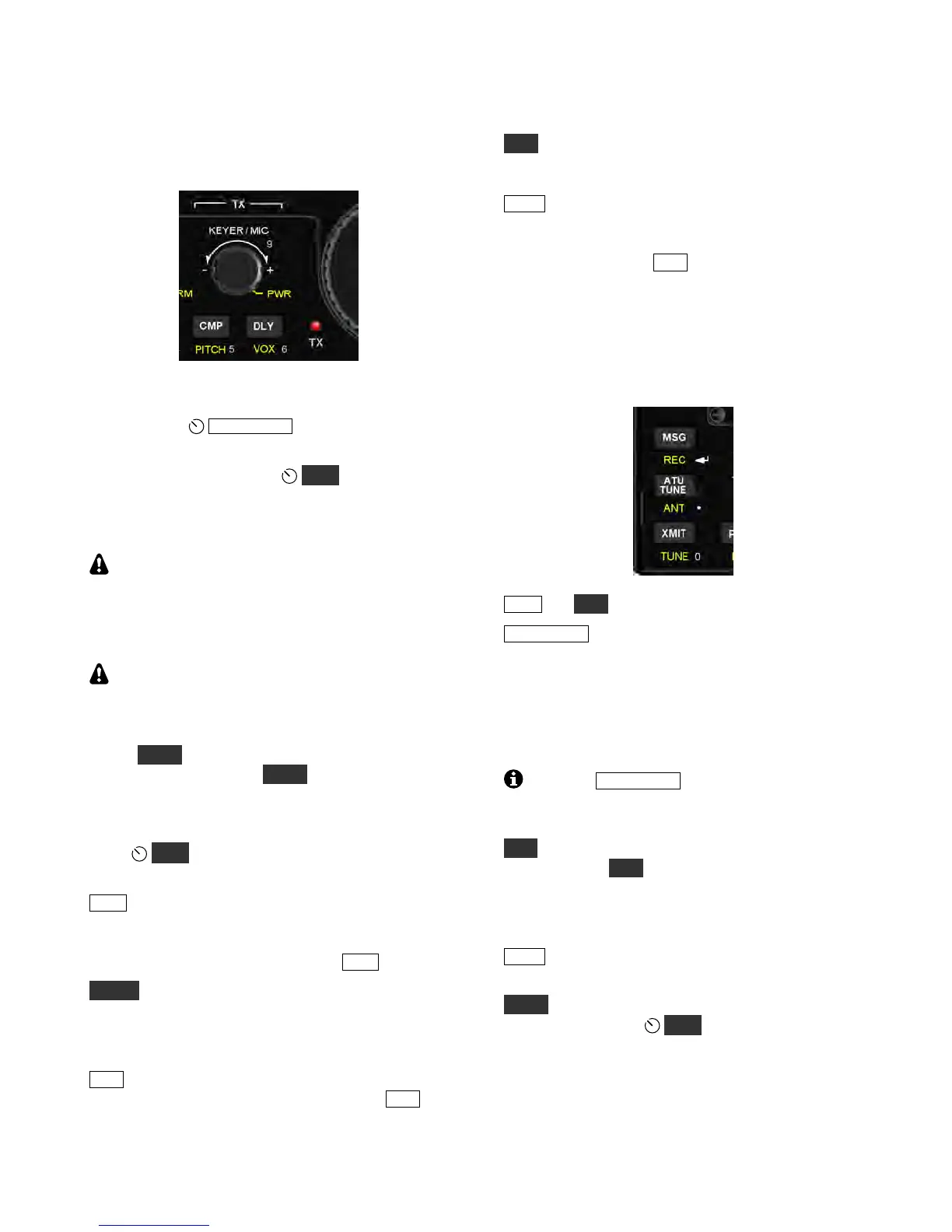
The TX control group is used to set up the KX3’s
transmitter. The TX LED turns on during transmit.
Keyer Speed/Mic Gain and Power Output
In CW mode,
K E YE R / MI C sets the keyer speed
(in WPM). In voice modes, it sets mic gain.
A hold of this knob selects
PW R (power out).
Power output is typically 10 W+ on 160-15 m, and
8 W+ on 12, 10, and 6 m. The 6-meter setting is
independent of the other bands.
Maximum power output varies with band, heat
sink temperature, supply voltage, current drain, and
load SWR. A reduced-current transmit mode is
automatically used when possible. This is indicated
by a decimal point after the “W” (e.g. 3.0 W .).
If power output is lower than expected, you can
use the special VFO B displays (pg. 11) to check
supply voltage, current drain, and PA temperature.
The parameter will remain displayed on VFO B
during T UN E (pg. 11). SWR is shown on the VFO
A display when you hold T UN E .
Other Transmit Settings
Hold
MO N to set the transmit monitor volume
(speech in voice modes, sidetone in CW mode).
CM P sets the amount of speech compression,
which increases average power output, making your
voice sound louder. Adjust compression using the
knob above the switch; to finish, tap C MP again.
PI T CH is used to set the sidetone pitch in CW
mode, and the tone-encode pitch in FM mode (pg.
15). It displays the mark or center pitch and data
shift in some data modes.
DL Y sets the VOX (voice-operated transmit) delay
time in voice modes (pg. 15). In CW mode, DL Y
sets the break-in or QSK delay (pg. 16).
VO X selects the keying mode: PTT (push-to-talk)
or VOX (voice- or keying-operated transmit). With
PTT selected, the transmitter is enabled by tapping
XM IT or by holding the mic’s PTT button. With
VOX selected, the VO X icon turns on, and transmit
starts by speaking (voice modes) or when keyed
(CW mode). Also see D LY (at left) and
MENU:VOX GN (p. 35).
Transmit and ATU Control
The switches in the group shown below perform
various transmit control functions.
MS G and RE C play/record messages (pg. 16, 21).
AT U T UN E starts automatic antenna matching if a
KXAT3 internal ATU is installed (pg. 25). The
ATU MD menu entry must set to AUT O mode.
Matching takes an average of 4 seconds, initially.
Settings are then recalled instantly on a band
change, as well as when you transmit after moving
the VFO a significant distance.
Tapping A TU T U NE a second time within 5
seconds starts a more extensive search. This may
result in a lower SWR with difficult loads.
AN T controls AN T 1/2 selection on the KXAT100
external ATU. AN T does not switch between
antenna jacks on the KX3 itself. The BNC jack is
always used on the 160-6 m bands, and the SMA
jack is used only with the KX3’s 2-meter module.
XM IT is equivalent to PTT (push-to-talk). Tapping
this switch places the KX3 into transmit mode.
T U N E is used to put out a CW signal at the power
level selected by the
PW R control. This is useful
with external wattmeters and antenna tuners. If the
TUN PWR menu entry is set to a numeric value,
rather than NO R , then this value—if lower--
overrides the power control setting.



 To Next Page